EasyManua.ls Logo

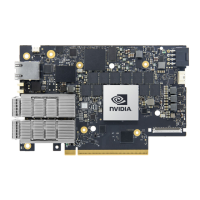
Nvidia BlueField-2 InfiniBand - User Manual

Nvidia BlueField-2 InfiniBand
90 pages
Print Icon
To Next Page IconTo Next Page
Loading...
NVIDIA BlueField-2 InfiniBand/Ethernet DPU User Guide

Questions and Answers

  • N
    nlambertJul 30, 2025
    What to do if my Nvidia Network Hardware DPU no longer works?
    • A
      alexandra05Jul 30, 2025
      If your Nvidia Network Hardware DPU has stopped working, try reseating it in its slot or in a different slot. You can also try using another cable. Reinstalling the drivers may also help, as the network driver files may be damaged or deleted. Rebooting the server is also recommended.
  • J
    Justin DavidAug 5, 2025
    How to fix Nvidia Network Hardware server unable to find the DPU?
    • Z
      zhallAug 5, 2025
      If the server is unable to find the Nvidia Network Hardware DPU, ensure that the DPU is placed correctly and that the DPU slot and the DPU are compatible. If the issue persists, install the DPU in a different PCI Express slot. Also, use the drivers that came with the DPU or download the latest, and ensure your motherboard has the latest BIOS. Finally, try rebooting the server.
  • J
    Janet BrownAug 11, 2025
    What to do if Nvidia Network Hardware DPUs stopped working after installing another DPU?
    • N
      nicholsjohnAug 11, 2025
      If the Nvidia Network Hardware DPUs stopped working after installing another DPU, try removing and reinstalling all DPUs. Check that cables are connected properly and that your motherboard has the latest BIOS.
  • J
    Joshua ReillyAug 17, 2025
    Why is the link indicator light off on my Nvidia Network Hardware?
    • M
      Michelle RodriguezAug 17, 2025
      If the link indicator light is off on your Nvidia Network Hardware, try another port on the switch. Ensure the cable is securely attached and that you are using the proper cables that do not exceed the recommended lengths. Also, verify that your switch and DPU port are compatible.
  • B
    Brett KlineAug 22, 2025
    What to do if Nvidia Network Hardware link light is on, but with no communication established?
    • S
      Stephanie PriceAug 22, 2025
      If the Nvidia Network Hardware link light is on, but no communication is established, ensure that the latest driver is loaded. Also, check that both the DPU and its link are set to the same speed and duplex settings.

Summary

Features and Benefits

Supported Interfaces

Details layout and information for HHHL and FHHL DPU interfaces.

PCI Express Interface

Explains the DPU's PCIe Gen 4.0 interface features and compatibility.

Hardware Installation

Safety Warnings

Crucial safety precautions to prevent injury and equipment damage during installation.

Installation Procedure Overview

Outlines the general steps involved in the DPU installation process.

System Requirements

Details motherboard and power supply requirements per card form factor.

General Troubleshooting

Server unable to find the DPU

Solutions for issues where the server does not detect the DPU.

Specifications

Monitoring

Thermal Sensors

Explains thermal thresholds and how to read DPU thermal sensors.

Finding the GUID;MAC on the DPU

Supported Servers and Power Cords

Pin Description

PCI Express Interface Pins

Detailed description of PCI Express pins and their functions.

Nvidia BlueField-2 InfiniBand Specifications

General IconGeneral
ProcessorArm Cortex-A72
ConnectivityInfiniBand, Ethernet
SecurityHardware Root of Trust, Secure Boot
Crypto AccelerationYes
ArchitectureArm
PCIe InterfacePCIe 4.0 x16
Security AccelerationYes
Network AccelerationYes
Network InterfaceInfiniBand
Memory16GB DDR4
Form FactorPCIe
Product TypeDPU (Data Processing Unit)
Ethernet Speed200Gbps
StorageNVMe over Fabric support
Networking FeaturesRDMA, RoCE, SR-IOV
Cores8x Arm A72 cores

Related product manuals