when connected to another NVIDIA InfiniBand product.
(c)
The non-operational storage temperature specifications apply to the product without
its package.
MBF2H516C-EECOT/ MBF2H516C-EESOT Specifications
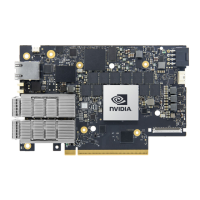
BlueField-2
DPU
BlueField-2 P-Series - 8 Cores - 550MHz/2750MHz
MBF2H516C-EECOT: Crypto Enabled, Secure Boot Enabled, with
onboard BMC
MBF2H516C-EESOT: Crypto Disabled, Secure Boot Enabled, with
onboard BMC
Physical
Card Dimensions (FHHL): 4.53 in. x 6.6 in. (115.15 mm x 167.65 mm)
Bracket Dimensions: 4.76 in. x 0.72 in. (121.0 mm x 18.4 mm)
Connector: Dual QSFP56 (copper and optical)
Interfaces
See Interfaces of MBF2M516C-EECOT and MBF2M516C-EESOT
PCI Express 4.0: SERDES @ 16.0GT/s, 16 lanes (3.0, 2.0 and 1.1
compatible)
Protocol
Support
Data Rate
Ethernet 100/50/40/25/10/1 Gb/s
InfiniBand HDR100/EDR/FDR/QDR/DDR/SDR
Ethernet: 100GBASE-CR4, 100GBASE-KR4, 100GBASE-SR4, 50GBASE-
R2, 50GBASE-R4, 40GBASE-CR4, 40GBASE-KR4, 40GBASE-SR4,
Important
To power up these FHHL P-Series DPUs with x16 PCIe Gen 4 lanes,
you need to connect a PCIe external power cable to the onboard 6-
pin ATX connector. The customer should supply the PCIe external
power cable (usually available with the server). Refer to External
Power Supply Connector for pin descriptions.



 To Next Page