1.
2.
3.
4.
5.
Card Extraction
Verify that the system is powered off and unplugged.
Wait 30 seconds.
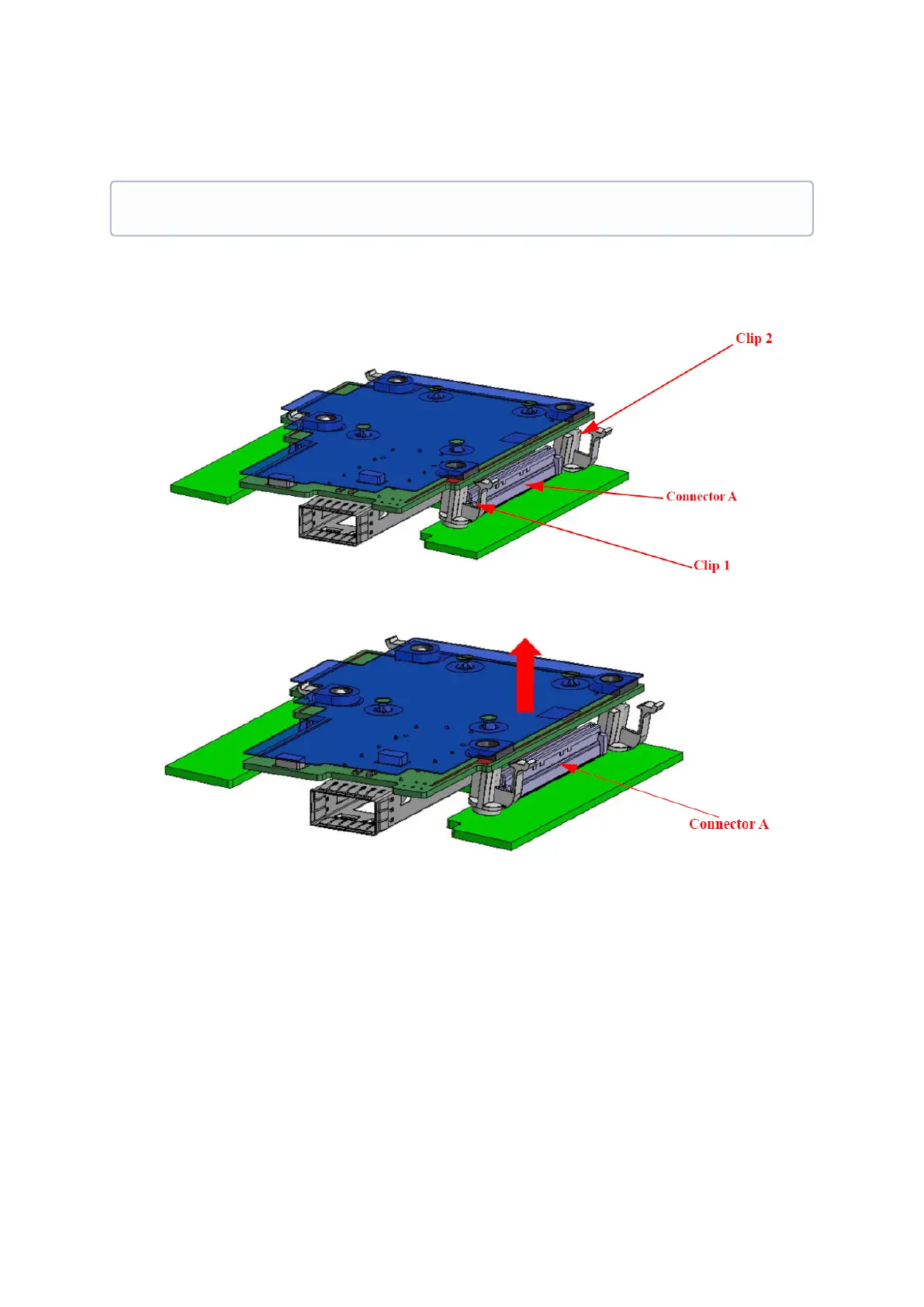
To remove the card, disengage clip 1 and 2 on connector A side.
To disconnect connector A, gently pull the adapter card upwards.
Disengage clip 3 and clip 4 on the adapter card on Connector B side.
Please note that the following images are for illustration purposes only.


 To Next Page