2. Install the desired group.
# apt-get install '<group name>'
Example:
# apt-get install mlnx-ofed-all
Uninstalling MLNX_OFED Using the apt-get Tool
Use the script /usr/sbin/ofed_uninstall.sh to uninstall the Mellanox OFED package. The script is part of
the ofed-scripts package.
Updating Firmware After Installation
The firmware can be updated either manually or automatically (upon system boot), as described in the
sections below.
Updating the Device Online
To update the device online on the machine from the Mellanox site, use the following command line:
mlxfwmanager --online -u -d <device>
Example:
mlxfwmanager --online -u -d 0000:09:00.0
Querying Mellanox devices firmware ...
Device #1:
----------
Device Type: ConnectX-5 Ex
Part Number: MCX546A-CDAN
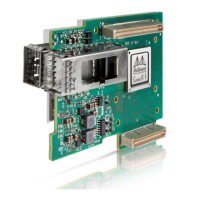
Description: ConnectX®-5 Ex network interface card for OCP, 100GbE dual-port QSFP28, PCIe4.0 x16, no bracket,
ROHS R6
PSID: MT_1020120019
PCI Device Name: 0000:09:00.0
Port1 GUID: 0002c9000100d051
Port2 MAC: 0002c9000002
Versions: Current Available
FW 2.32.5000 2.33.5000
Status: Update required
---------
Found 1 device(s) requiring firmware update. Please use -u flag to perform the update.
Updating the Device Manually
To update the device manually, please refer to theOEM Firmware Download pageathttp://
www.mellanox.com/page/firmware_table_dell?mtag=oem_firmware_download.
Installing MLNX_OFED using the “apt-get” tool does not automatically update the
firmware. To update the firmware to the version included in MLNX_OFED package, run:
# apt-get install mlnx-fw-updater
Or, update the firmware to the latest version available on Mellanox Technologies’ Web
site as described in Updating Adapter Firmware.


 To Next Page