Page 5 of 6
800-1060 Rev: A
Provider Screen
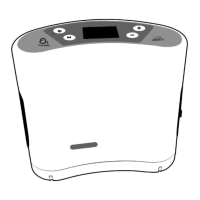
Press and hold the Mode button and Down arrow button simultaneously to enter the provider
screen. Device status and language setting can be accessed from this screen.
Service Mode Screen
Press and hold the Up and Down arrow buttons simultaneously to access the service mode screen. Device
run hours can be accessed from this screen.
Maintenance
All maintenance MUST be conducted by a qualified Independence service technician. DO NOT attempt to
disassemble or perform any maintenance on your device. Any such attempt will void the warranty.
Routine cleaning of the air inlet filter and periodic cleaning of the exterior of the device as described
below is the only routine maintenance.
1. Remove the Air Inlet Filter
2. Wash the filter by running under warm tap water using a mild detergent.
3. Rinse thoroughly under warm, running water.
4. Squeeze out excess water.
5. It is important to allow the filter to dry completely before reinserting into the device. Moisture from a
wet or damp Air Inlet Filter may damage your device. An additional Air Inlet Filter is included.
User Care and Cleaning
Unplug your Independence and/or power supplies before cleaning.
DO NOT use alcohol, ethylene chloride or petroleum-based cleaners on the case or power supplies.
Clean the outside case of your device using a soft cloth dampened with a mild detergent and water.
DO NOT spray or soak the case or front panel.
Cannula Specification
In continuous mode, the maximum cannula length is 50 feet.
In pulse mode, the maximum cannula length is seven feet.


 To Next Page
 Loading...