EasyManua.ls Logo

Oakcastle CD100 - User Manual

Oakcastle CD100
14 pages
Print Icon
To Next Page IconTo Next Page
Loading...
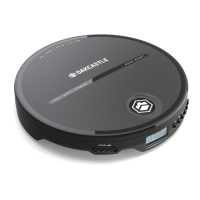
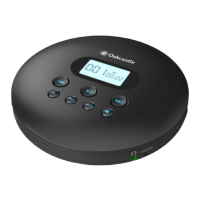
CD100 | Portable CD Player
Instruction Guide
EN

Questions and Answers

Summary

Box Contents

Whats in the Box?

Lists all items included in the product packaging, such as the CD player, cables, and earphones.

Controls & Functions

Control Buttons

Details the location and function of all physical buttons on the CD player, with reference numbers.

Instruction Guide

Basic Operation

Covers powering the device on/off, using the hold function, and charging the battery.

Inserting a Disc

Instructions for opening the disc door and placing a disc correctly for playback.

Using Headphones or External Speakers

Guidance on connecting audio output devices like headphones or speakers via the headphone port or AUX.

Play a CD

Explains how to play CDs using basic controls, playback modes, and programming.

Sound Settings

Describes how to adjust audio output using EQ presets like BBS, POP, JAZZ, ROCK, and CLASSIC.

Bluetooth

Instructions for connecting the CD player to Bluetooth devices for wireless audio.

Program your disc

Steps to create a custom track playback order for the CD.

Screen Auto-Switchoff

Information on the display's automatic turn-off feature after a period of inactivity.

Troubleshooting

Specifications

Specifications

Technical details of the CD player, including power, dimensions, and supported formats.

Warranty

Information regarding the product's 12-month warranty and registration process.

Safety Information

Additional Warnings

Includes warnings about exposure to liquids, heat, and proper plug usage.

Recycling Electrical Products

Guidance on proper disposal of electrical products to help the environment.

Oakcastle CD100 Specifications

General IconGeneral
BrandOakcastle
ModelCD100
CategoryCD Player
LanguageEnglish

Related product manuals