EasyManua.ls Logo

Oakcastle CD100 - Play a CD; Sound Settings

Oakcastle CD100
14 pages
Print Icon
To Next Page IconTo Next Page
To Previous Page IconTo Previous Page
Loading...
5
EN
Basic Controls and Functions
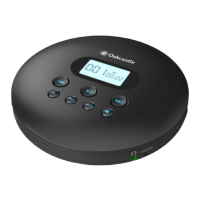
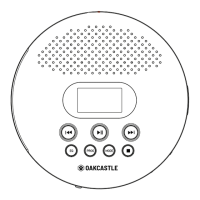
Ref.4) to play or pause the CD�
Ref.5Ref.10) to skip to the previous or next
track� Press and hold Ref.5Ref.10) to rewind or fast forward through
a track�
Ref.9) to stop the CD�



will show blank in top right corner)�
Ref.7) to begin programming your disc to play
in a selected order� For instructions on how to do this please see
page 7
Press and holdRef.7
When memory mode is activewhile
playing a track or while paused
will resume playing from that track position� When memory mode is
inactive
Sound Settings
Ref.6

Play a CD
Instruction Guide

Related product manuals