EasyManua.ls Logo

Oase BioMaster Thermo 600 - User Manual

Oase BioMaster Thermo 600
64 pages
Print Icon
To Next Page IconTo Next Page
Loading...
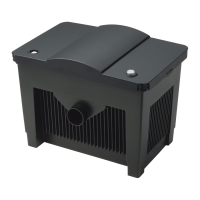
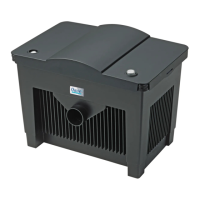
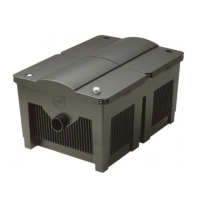
BioMaster 250 / 350 / 600
BioMaster Thermo 250 / 350 / 600
EN
FR
ES
Operang instrucons
Noce d’emploi
Instrucciones de uso

Questions and Answers

  • K
    kimberlynobleAug 17, 2025
    Why is the water flow insufficient in my Oase Water Filtration System?
    • W
      William BakerAug 17, 2025
      Several factors can cause insufficient water flow in your Oase Water Filtration System. The impeller unit, foam filter, filter media, or pipework might be soiled and require cleaning. The inlet strainer could be clogged and needs to be cleaned. The impeller unit may be worn and need replacement. Ensure that the water flow is correctly set.
  • M
    Matthew HamiltonAug 22, 2025
    How to improve the filtering performance of my Oase Water Filtration Systems?
    • J
      James ChandlerAug 22, 2025
      Poor filtering performance in your Oase Water Filtration System can stem from a soiled or worn foam filter in the pre-filter, or from soiled or worn filter media in the filter unit. Clean soiled components or replace worn ones to restore optimal performance.
  • D
    Daniel NashAug 25, 2025
    Why is the water heating insufficient in my Oase BioMaster Thermo 600 Water Filtration Systems?
    • C
      cookkatherineAug 26, 2025
      If your Oase Water Filtration System (with heater) isn't heating water sufficiently, the heater may be defective and require replacement, or it may not be calibrated correctly and need calibration. Also, ensure the water temperature is correctly set on the heater. Insufficient water flow can also cause this issue; refer to the troubleshooting steps for 'Water flow insufficient'.
  • J
    justin66Aug 27, 2025
    How to reduce noise from my Oase Water Filtration System?
    • T
      Tricia NealAug 27, 2025
      Increased noise in your Oase Water Filtration System is often due to air trapped in the filter. To resolve this, move the filter from side to side to allow the remaining air to escape.
  • R
    Robert RowlandAug 30, 2025
    What to do if the Oase Water Filtration System cannot be vented?
    • A
      Andrea VelasquezAug 30, 2025
      If you're unable to vent your Oase Water Filtration System, the valve box in the pre-filter may be blocked and require cleaning. Also, ensure the filter is installed below the surface of the water.
  • S
    Sandra SmithSep 2, 2025
    How to fix Oase BioMaster Thermo 600 unit that does not start up?
    • R
      Richard SmithSep 2, 2025
      If your Oase Water Filtration System unit doesn't start, begin by verifying the mains voltage. If the voltage is correct, check for blockages in the impeller unit and clean it if necessary. Air trapped in the filter can also prevent startup; vent the filter by moving it from side to side to release any trapped air.
  • J
    Jennifer ReillySep 4, 2025
    What to do if my Oase BioMaster Thermo 600 Water Filtration Systems has insufficient filtering performance?
    • S
      Sierra HarrisSep 5, 2025
      If your Oase Water Filtration System isn't filtering effectively, the foam pre-filter or the filter media in the container might be soiled. Clean them. If cleaning doesn't improve performance, consider replacing these components, as they may be worn.
  • M
    Mary PrinceSep 7, 2025
    Why the Oase BioMaster Thermo 600 Water Filtration Systems filter cannot be vented?
    • S
      Stephen RangelSep 7, 2025
      If your Oase Water Filtration System filter cannot be vented, the valve box in the pre-filter may be blocked, so you should clean the valve box. Also, ensure that the filter is installed below the water's surface.
  • H
    hevansSep 10, 2025
    How to reduce increased noise in Oase BioMaster Thermo 600 Water Filtration Systems?
    • A
      Ashley NguyenSep 10, 2025
      If your Oase Water Filtration System is making more noise than usual, there might be air trapped inside the filter. Try moving the filter from side to side to help release any remaining air.
  • D
    Donald PattersonSep 10, 2025
    What to do if my Oase Water Filtration System does not start up?
    • J
      Joseph SmithSep 12, 2025
      If your Oase Water Filtration System doesn't start, first check the mains voltage. If the voltage is ok, the impeller unit might be blocked and needs cleaning. Another cause could be air trapped inside the filter, in this case, vent the filter by moving it from side to side to release any trapped air.

Summary

IMPORTANT SAFETY INSTRUCTIONS

General Safety Information

Covers child safety, supervision, and general warnings regarding unit usage.

Electrical Safety Precautions

Covers shock hazards, wet conditions, damaged cords, modifications, and medical device interactions.

Installation and Usage Warnings

Covers placement, handling, extension cords, and warnings against opening the unit.

Electrical Connection Guidelines

Covers compatibility, sockets, drip loops, and the need for professional electrical installation.

PRODUCT DESCRIPTION

Intended Use and Restrictions

Defines the product's intended purpose, operational scope, and specific usage limitations.

Function Description

Explains the internal water flow and operational mechanism of the filter system.

Filter Media in Scope of Delivery

Lists the types and quantities of filter media included with the unit.

Scope of Delivery

Lists all components included in the package for BioMaster Thermo and BioMaster models.

ACCESSING THE UNIT

Heater Handling and Removal

Covers safe handling, removal, and fitting procedures for the integrated heater.

Inlet;Outlet Connection Unit Handling

Details the procedures for removing and fitting the inlet and outlet connection unit.

UNIT DISASSEMBLY AND ASSEMBLY

Pre-filter Removal and Fitting

Provides step-by-step instructions for removing and re-attaching the pre-filter.

Unit Head Dismantling and Fitting

Details the process for safely removing and reinstalling the unit's head component.

INSTALLATION AND CONNECTION

Installation Task Sequence

Outlines the general order of tasks required for unit installation.

Fitting Components and Preparation

Covers fitting rubber feet, preparing filter media, and retrofitting a heater.

Establishing Connections: Inlet Assembly

Detailed steps for assembling the water inlet component and tubing.

ASSEMBLING OUTLET AND TUBING

Outlet Assembly Options

Describes assembly methods for the outlet using spray bars or a water distributor.

Connecting the Tubing

Provides instructions for connecting the inlet and outlet tubing to the unit and tank.

COMMISSIONING;START-UP

Expelling Air from Filter System

Explains the necessity and process of removing trapped air from the filter system.

Expelling Air and Switching On

Covers final air removal steps and powering up the unit, including heater setup.

Switching Off and Setting Flow Rate

Details how to safely switch off the unit and adjust the water flow rate.

TROUBLESHOOTING

Common Malfunctions and Remedies

Lists common issues like no start-up, low flow, poor performance, heating, noise, and venting problems with solutions.

MAINTENANCE AND CLEANING

General Cleaning and Filter Media Advice

Provides basic cleaning guidelines, advice on filter media cycles, and rinsing instructions.

SPECIFIC MAINTENANCE PROCEDURES

Pre-filter Foam Cleaning;Replacement

Detailed step-by-step instructions for cleaning or replacing the pre-filter foams.

FILTER MEDIA INFORMATION

Filter Media Included

Lists the types of filter media provided with the aquarium filter unit.

CLEANING;REPLACING FILTER MEDIA

Filter Media Cleaning and Replacement

Provides a step-by-step guide for cleaning and replacing the filter media within the unit.

IMPELLER AND VALVE BOX MAINTENANCE

Impeller Unit Cleaning;Replacement

Procedure for cleaning or replacing the impeller unit and pump lid.

Valve Box Cleaning

Procedure for cleaning the valve box of the pre-filter if venting issues occur.

SUCTION CHAMBER AND WEAR PARTS

Suction Chamber Cleaning

Procedure for cleaning the pre-filter suction chamber, with safety warnings.

Wear Parts Identification

Lists components that are considered wear parts and are excluded from the warranty.

DISPOSAL AND SPARE PARTS

Product Disposal Instructions

Guidelines for the environmentally safe disposal of the unit.

Spare Parts Information

Information on obtaining original OASE spare parts for continued reliable operation.

TECHNICAL DATA

Unit Specifications

Details technical specifications like voltage, power consumption, flow rate, and dimensions.

SYMBOLS ON THE UNIT

Symbol Explanations

Explains the meaning and significance of various symbols found on the unit.

Oase BioMaster Thermo 600 Specifications

General IconGeneral
InternalYes
Aquarium capacity (max)600 L

Related product manuals