Need help?
Do you have a question about the OBD2 V317 and is the answer not in the manual?
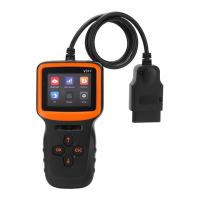
Details on the OBD plug, display screen, and key functions of the device.
Specifications including working voltage, current, environment, dimensions, and languages.
List of included accessories such as the host unit and manual.
List of supported OBD II/EOBD protocols for vehicle communication.
Key features and capabilities of the diagnostic instrument.
Introduction to the main inspection menu and its test functions.
Instructions for accessing and viewing live vehicle data streams.
How to look up and understand vehicle fault codes and their reasons.
Information on checking the I/M readiness status for emissions testing.
Procedure for performing a vehicle battery voltage test.
Guide to configuring product settings like language and units.
 General
| Brand | OBD2 |
|---|---|
| Model | V317 |
| Category | Barcode Reader |
| Language | English |

 To Next Page