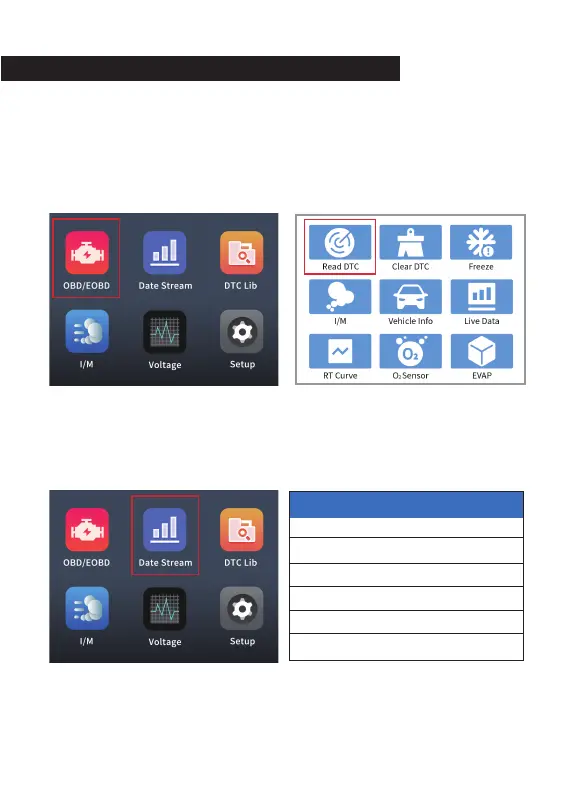
6. Page menu introduction
6.1 Car inspection menu
5
After connecting the vehicle, go to the home page, select the
"OBD/EOBD" menu, press the OK button to enter the test function
page, this menu has 9 test functions, you can use the up/down
function keys to turn pages.
6.2 Read data stream
After connecting to the vehicle, go to the homepage, select the "Date
Stream" menu, and press OK to enter the data stream view pag
Data Stream
Vehicle Information
FUELSYS2
LOAD_PCT(%)
ETC(℃)
SHRTFT1(%)
LONGFT1(%)
SHRTFT2(%)
CL
59.6
40
1.6
-46.4
-43.0
1/13


 To Next Page