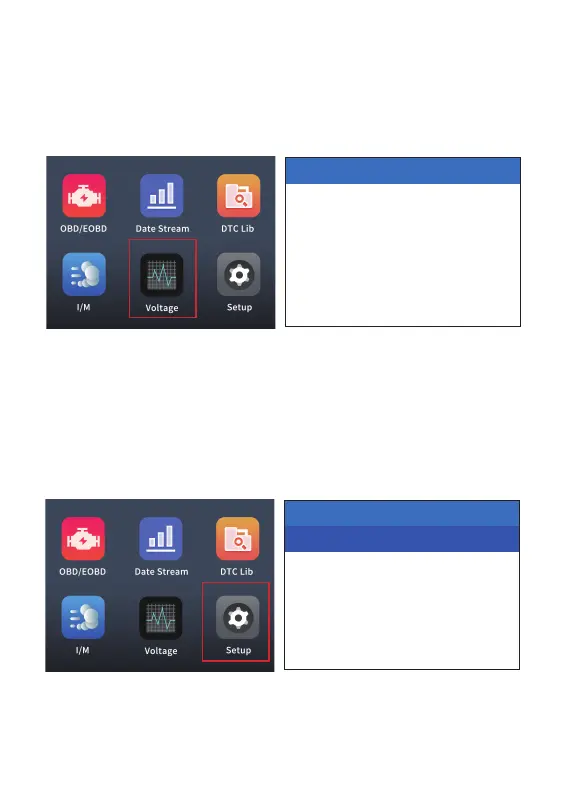
6.5 Voltage test
6.6 Product settings
7
After connecting the vehicle, go to the home page, select the "Voltage"
menu, press the OK button to enter the voltage test page, and check the
voltage value.
After connecting the vehicle, go to the home page, select the "Setup"
menu, and press the OK button to enter the setting page. This menu has
2 setting functions, and you can use the up/down function keys to turn
pages.
System Setup
Language
Unit Of Measure
1/2
Voltage
12.1V


 To Next Page