AUDIENCE .......................................................................................................................................................................... 12
WHERE TO GO FOR HELP ...................................................................................................................................................... 12
NOTATIONAL CONVENTIONS .................................................................................................................................................. 13
Boolean Values ....................................................................................................................................................................................................... 13
Multiple Choice Values ........................................................................................................................................................................................... 13
Parameter Values ................................................................................................................................................................................................... 13
INTRODUCTION ..................................................................................................................................... 14
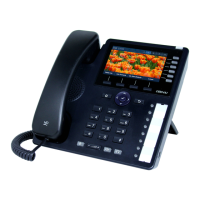
OBI IP PHONE HARDWARE .................................................................................................................................................... 14
Accessories Available Separately from Obihai ........................................................................................................................................................ 19
Other Accessories ................................................................................................................................................................................................... 19
CONNECTING THE OBI IP PHONE ............................................................................................................................................ 20
Connecting the Phone to the Network ................................................................................................................................................................... 20
Connecting to the LAN Over Wired Ethernet ......................................................................................................................................................... 20
Connecting to the WLAN Over WiFi ....................................................................................................................................................................... 20
OVERVIEW OF PHONE FEATURES ............................................................................................................................................ 20
Administrative Features ......................................................................................................................................................................................... 20
Voice Features ........................................................................................................................................................................................................ 20
Call Features ........................................................................................................................................................................................................... 21
Soft Switch Support ................................................................................................................................................................................................ 21
Integrated GUI Applications ................................................................................................................................................................................... 21
COMPLEMENTARY OBIHAI PRODUCTS AND SERVICES .................................................................................................................. 22
CONFIGURATION AND MANAGEMENT INTERFACES ................................................................................ 23
DEVICE LOCAL CONFIGURATION .............................................................................................................................................. 23
To access the OBi IP Phone Device Management Web Page: ................................................................................................................................. 23
Web Page Conventions and Icons & Buttons: ........................................................................................................................................................ 24
Local Configuration Web Page Layout .................................................................................................................................................................... 25
Phone Screen Capture ............................................................................................................................................................................................ 27
REMOTE PROVISIONING ........................................................................................................................................................ 27
About ZT (Zero Touch): Device Customization at Obihai’s Factory ......................................................................................................................... 28
OBITALK PORTALS .............................................................................................................................................................. 29
User Portal ............................................................................................................................................................................................................. 29
ITSP Portal ...................................................................................................................................................................Error! Bookmark not defined.
TELEPHONE-IVR-BASED LOCAL CONFIGURATION ....................................................................................................................... 29
Main Menu ............................................................................................................................................................................................................. 30
Additional Options (Menu 0) .................................................................................................................................................................................. 31
System Level Options ........................................................................................................................................................................................ 31
Network Related Configuration Options ........................................................................................................................................................... 31
SP1 Configuration Options ................................................................................................................................................................................ 32
SP2 Configuration Options ................................................................................................................................................................................ 33
OBiTALK Configuration Options ......................................................................................................................................................................... 34
Auto Attendant Configuration Options ............................................................................................................................................................. 35
Customized AA Prompt Recording Options ....................................................................................................................................................... 35
PHONE GUI ........................................................................................................................................................................ 36
Settings................................................................................................................................................................................................................... 36
Preferences ............................................................................................................................................................................................................ 39
Admin Password ..................................................................................................................................................................................................... 39



 To Next Page