Need help?
Do you have a question about the OBSBOT Meet and is the answer not in the manual?
Recommends reading the manual, watching videos, and accessing tutorials for understanding.
Introduces the AI webcam and lists its operating system and hardware requirements.
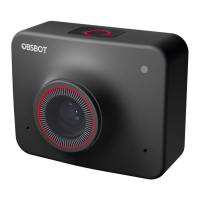
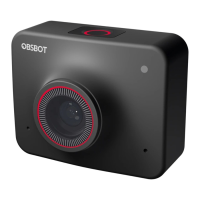
Identifies key components of the OBSBOT Meet webcam.
Details the steps for attaching the webcam to a monitor using its magnetic mount.
Describes tripod mounting and connecting the webcam to computers via USB-C.
Explains AI auto-framing for group and single-person modes.
Covers landscape and portrait views, requiring manual rotation.
Details digital zoom, auto/manual focus, and sleep mode activation.
Explains the HDR feature for improving video quality in challenging lighting conditions.
Details the meanings of different indicator light colors on the webcam.
Describes status button functions and the OBSBOT MeetCam software overview.
Provides instructions for downloading and installing the OBSBOT MeetCam software.
Describes key interface elements like device status, connection, view, and zoom controls.
Displays software/firmware versions and enables anti-flicker for video.
Configures HDR for video quality and auto/manual focus modes.
Accesses hotkeys, remote control, video config, language, and additional options.
Guides users on upgrading the device firmware through the OBSBOT MeetCam software.
 General
| Microphone | Built-in dual microphones with noise reduction |
|---|---|
| AI Features | Auto-framing |
| Sensor | 1/2.8" CMOS |
| Focus | Auto-focus |
| Zoom | Digital zoom |
| Compatibility | Windows, macOS |

 To Next Page