Need help?
Do you have a question about the OBSBOT Meet 4K and is the answer not in the manual?
Important consideration for users regarding the product.
Suggests watching instructional videos and reading the user manual for better understanding.
Provides links to tutorial videos for correct product usage.
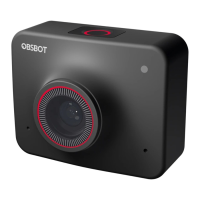
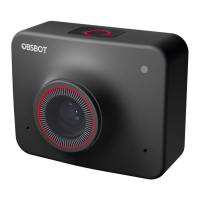
Introduces the AI-powered 4K webcam, its features like auto-framing, and compatibility.
Details the physical components, ports, and indicators of the OBSBOT Meet 4K.
Guides on installing and placing the OBSBOT Meet 4K webcam.
Automatically adjusts composition for multiple people using AI algorithms.
Selects and centers the closest person, offering scale options.
Supports landscape and portrait views, requiring manual rotation.
Supports 4x digital zoom, controllable via OBSBOT MeetCam software.
Offers auto-focus and manual focus methods for clear video capture.
Activates by long-pressing the status button, disabling video and audio.
Enhances video quality in varying light conditions, configurable in software.
Explains the meaning of different colored light indicators on the camera.
Introduces OBSBOT MeetCam for advanced webcam settings and control.
Provides the URL to download the OBSBOT MeetCam software.
Overview of the OBSBOT MeetCam interface and main functions.
Manages software/firmware versions, anti-flicker, HDR, and focus settings.
Enables or disables keyboard shortcuts for quick access to functions.
Allows controlling the Meet 4K via a remote controller.
Adjusts camera parameters, specifically for Windows users.
Allows switching the software's display language.
Accesses advanced options like log export, upgrade manuals, and factory reset.
 General
| Resolution | 4K |
|---|---|
| AI Tracking | Yes |
| Connection | USB-C |
| Max Resolution | 3840 x 2160 |
| HDR | Yes |
| Digital Zoom | 4x |
| AI Auto-Framing | Yes |
| Privacy Mode | Yes |
| Frame Rate | Up to 60fps |
| Lens | f/2.0 aperture |
| Autofocus | Yes |
| Compatibility | Windows, macOS |
| Video Modes | 4K@30fps, 1080p@60fps |
| Sensor Type | 1/2.8-inch CMOS |
| Field of View | 86 degrees |
| Microphone | Dual Omni-directional Microphones |

 To Next Page