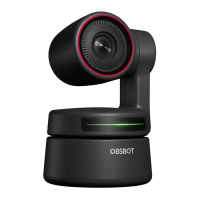
Need help?
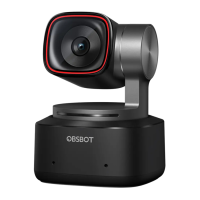
Do you have a question about the OBSBOT Tiny 2 and is the answer not in the manual?
Use USB 3.0 port to avoid delay, lag, flash, or device restart issues.
Specifies OS and processor requirements for OBSBOT Tiny 2.
Instructions on how to place the OBSBOT Tiny 2 on a monitor.
Connect the webcam to a computer via USB for setup and use.
Use gestures to enter/exit human tracking mode, indicated by status lights.
Control zoom dynamically by hand gestures; be mindful of face covering.
Perform gestures for zoom in/out operations, indicated by status lights.
Activate human tracking via gesture, voice, or software for automatic subject focus.
Control software for extended operations like motion, tracking, and presets.
 General
| AI Tracking | Yes |
|---|---|
| Connectivity | USB-C |
| Zoom | 4x Digital Zoom |
| AI Features | Auto-framing, Gesture Control |
| HDR | Yes |
| Autofocus | Yes |
| Compatibility | Windows, macOS |
| Resolution | 4K (3840 x 2160) |
| Sensor | 1/2.8" CMOS |
| Microphone | Dual Omni-directional Mics with Noise Reduction |
| Max Frame Rate | 60 fps |

 To Next Page