Overview
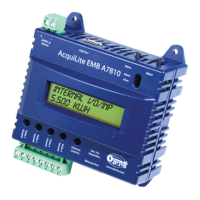
The AcquiSuite™ data acquisition system is designed to allow owners and managers of commercial and industrial facilities
with a cost-effective means of gathering crucial information in a timely manner. To meet these requirements, the
AcquiSuite™ system provides the installer with all the tools necessary to install and configure the hardware and software
with a minimum of time and investment.
Installation Checklist
An AcquiSuite™ system installation has the following components:
Required hardware
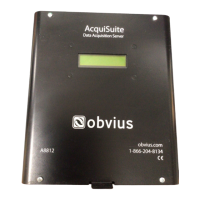
● AcquiSuite™ A8812 data acquisition server (required)
● Data connection (ethernet or phone line).
● Ethernet Cat 5 cable (required for lan or direct laptop-to-AcquiSuite connection); or
● Phone line and cord (required for modem connection)
Optional hardware
● Analog sensors for temperature, humidity, etc.
● Pulse output transducers for measuring gas, electricity, water, etc. from existing meters and sensors.
● Additional Modbus RTU devices power meters (e.g., Veris Enercept, PML Ion, Emon ProMon, etc)
Next, choose one or more of the following connection methods.
For LAN installations only:
● Ethernet 10/100Mbit connection point (hub or switch)
● IP address and Netmask (check with system administrator)
● Gateway address (check with system administrator)
● DNS server address (check with system administrator)
● HTTP Proxy address (optional), may be required if the AcquiSuite is behind a firewall (check with system
administrator)
For dialout installations only: (AcquiSuite initiates a phone call to your ISP or modem server)
● Phone line with dialtone. May be shared with other devices such as a fax machine.
● Phone cord for connection to phone system
● Dial out access prefixes, and long distance access code if required. (ie, dial 9 for local line)
● ISP account or Modem Server phone number (check with ISP)
● DNS server address. (check with ISP)
● Time to dial. If phone line is shared, choose a time of day when other devices are not in use, such as 4am.
● A regular telephone for line testing and diagnostics
For dialin installations only: (AcquiSuite receives/answers a phone call from your computer)
● Phone line with dialtone. Must be NOT shared with other devices. (or use appropriate line sharing device)
● Phone cord for connection to phone system.
● Telephone number for the phone line that the AcquiSuite will be attached to. (so you can call the AcquiSuite)
● Make note of the AcquiSuite dialin IP/Netmask for future use.
● A regular telephone for line testing and diagnostics
Page 4 A8812 AcquiSuite – Data Acquisition Server
Shop for Power Metering products online at:
1.800.561.8187
www.PowerMeterStore.ca


 To Next Page