- 28 -
Skytune Web Application for Internet Radio
www.skytune.net
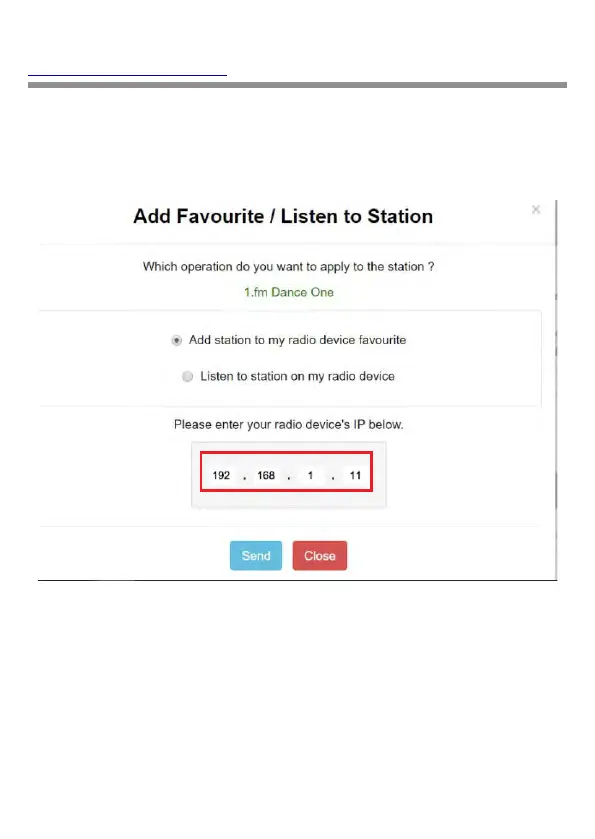
To make an Internet connection to the Radio it’s IP
address must be entered in the space provided on the
web page – the Radio IP can be found at
Configuration>Information>Network Information.
Once the IP address has been entered select Save or
Listen, click Send and My Favorite web page will be
displayed i.e. a duplicate of your Radio My Favorite list.
The list can be edited using the tools provided on the
web page and any changes sent to the Radio My
Favorite list automatically.













 To Next Page