- 8 -
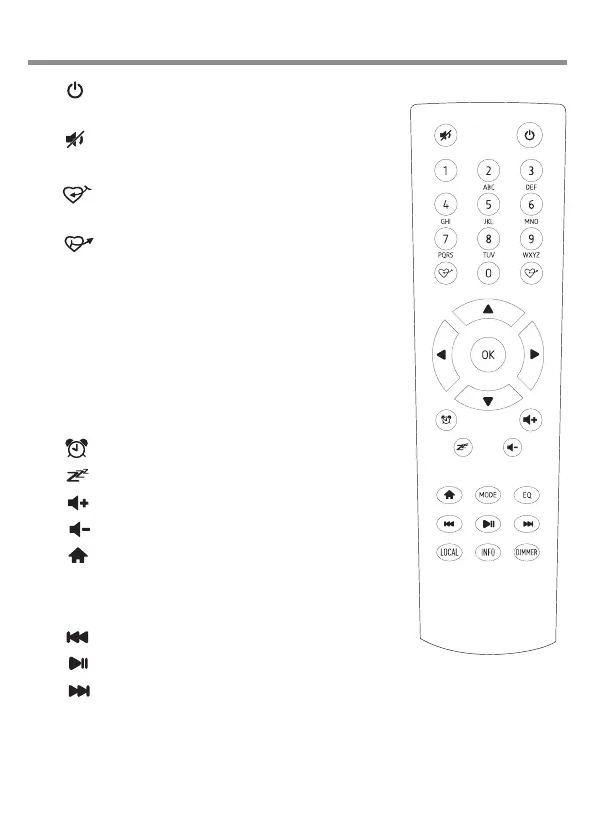
3/ Remote Control
1. : On/Off only when power is
connected to the radio.
2. : Turn sound Off/On
3. 0-9: Input numbers and letters
4. : Add current audio source to
Favorite List
5. : Display favorite list
6. ▲ : Increase or go up lists
7. ◄ : Go to next display or item
8. ► : Go back to previous display or
item
9. ▼ : Decrease or go down lists
10. OK : Select currently displayed or
highlighted item
11. : Go to alarm setup
12. : Go to sleep timer setup
13. : Increase volume
14. : Decrease volume
15. : Go to My Favorite
16. MODE : Switch function
17. EQ : Go to equalizer setup
18. : Go to last track or radio station
19. : Stop or start audio
20. : Go to next track or radio station
21. LOCAL : List local radio stations
22. INFO: Network and System
23. DIMMER: Go to dimmer setup













 To Next Page