74
ATR
O
2
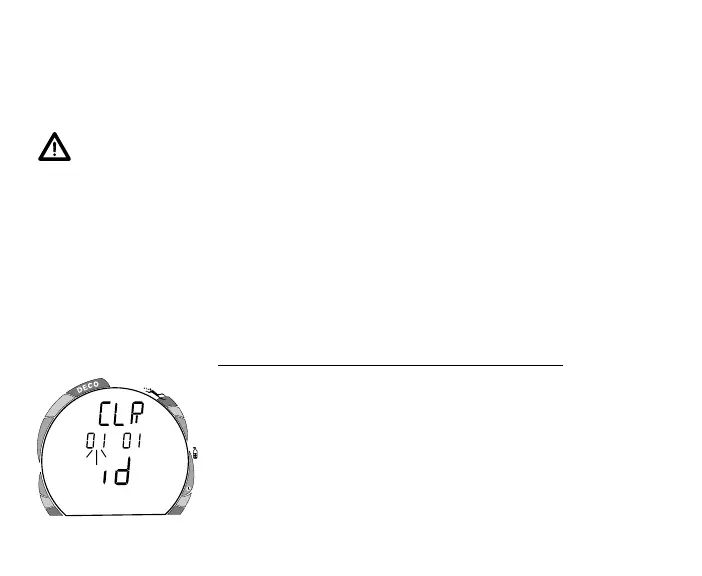
Fig. 93 - Reset
RESET FEATURE
The VT Pro is configured with a RESET feature that allows data to be cleared, including
Nitrogen and Oxygen calculations, FO2 set point, Log Mode entries, and Download data.
WARNING: Reset after a dive and subsequent use for a repetitive dive con-
ducted by the same diver could result in serious injury to or death.
RESET PROCEDURE
• While in SURFACE MODE (new activation period or greater than a 10 minute post dive
surface interval), press the Front (Advance) button 1 time to access PLAN MODE.
• While 30 feet (9 meters) is displayed in the PLAN MODE, press and hold Both buttons
until SET 2 appears, then release the buttons and press the Front (Advance) button.
• The Clear screen appears with the first 2 digits of the Code flashing (Fig. 93).
If the correct Reset Code (01 01) is not displayed -
• Press and release the Side (Select) button to change the first 2
digits to 01.
• Press and release the Front (Advance) button to display the
second 2 digits of the Code, flashing.
• Press and release the Side (Select) button to change the
second 2 digits to 01.
• Press and release the Front (Advance) button to complete the
RESET operation and turn the unit OFF.



 To Next Page