Page 5
List of figures
Figure 1 The AIS network ................................................................................................................. 9
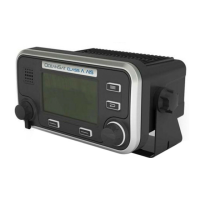
Figure 2 Transceiver front panel ..................................................................................................... 11
Figure 3 Display layout ................................................................................................................... 12
Figure 4 Selection of main operating screen .................................................................................. 13
Figure 5 Target list screen and vessel details view ........................................................................ 14
Figure 6 Own vessel and voyage data screen................................................................................ 14
Figure 7 Own dynamic data screen ................................................................................................ 15
Figure 8 Received messages screen.............................................................................................. 16
Figure 9 Message details view........................................................................................................ 16
Figure 10 Alarms screen................................................................................................................... 17
Figure 11 Alarm details view............................................................................................................. 17
Figure 12 Target plot screen............................................................................................................. 18
Figure 13 Target plot symbols .......................................................................................................... 18
Figure 14 Safety Related Message notification ................................................................................ 19
Figure 15 Message composition ....................................................................................................... 19
Figure 16 Alarm notification screen .................................................................................................. 20
Figure 17 Text entry.......................................................................................................................... 22
Figure 18 Long range interrogation notification; automatic response mode enabled ....................... 23
Figure 19 Long range interrogation notification; manual response mode enabled ........................... 23
Figure 20 Long range message list and details views ...................................................................... 23
Figure 21 Password entry screen ..................................................................................................... 24
Figure 22 Main menu structure......................................................................................................... 25
Figure 23 Main menu screen ............................................................................................................ 26
Figure 24 The voyage data menu ..................................................................................................... 26
Figure 25 The messages menu ........................................................................................................ 27
Figure 26 The user settings menu .................................................................................................... 27
Figure 27 The installation menu........................................................................................................ 28
Figure 28 The maintenance menu .................................................................................................... 28
Figure 29 Diagnostics menu ............................................................................................................. 29
Figure 30 Typical AIS transceiver connection................................................................................... 31
Figure 31 What’s in the box .............................................................................................................. 32
Figure 32 AIS transceiver dimensions .............................................................................................. 34
Figure 33 Mounting the AIS transceiver............................................................................................ 34
Figure 34 Panel mounting the AIS transceiver ................................................................................. 35
Figure 35 Junction box dimensions .................................................................................................. 36
Figure 36 Mounting the junction box................................................................................................. 36
Figure 37 GPS antenna location....................................................................................................... 37
Figure 38 GPS antenna connection.................................................................................................. 37
Figure 39 VHF antenna installation................................................................................................... 38
Figure 40 VHF antenna connection .................................................................................................. 39
Figure 41 Connecting the junction box to the transceiver................................................................. 39
Figure 42 Junction box connections ................................................................................................. 41
Figure 43 Example connection to external display equipment.......................................................... 43
Figure 44 Line termination options.................................................................................................... 43
Figure 45 Power connection ............................................................................................................. 44
Figure 46 PC data (RS232) connection ............................................................................................ 45
Figure 47 Vessel dimensions measurement..................................................................................... 47
Figure 48 Regional areas list screen ................................................................................................ 49
Figure 49 Regional area editing screen ............................................................................................ 50
Figure 50 Regional area settings confirmation screen...................................................................... 50
Figure 51 Blue sign switch connection.............................................................................................. 53
Figure 52 Input port schematic ......................................................................................................... 60
Figure 53 Data output port schematic............................................................................................... 61


 To Next Page