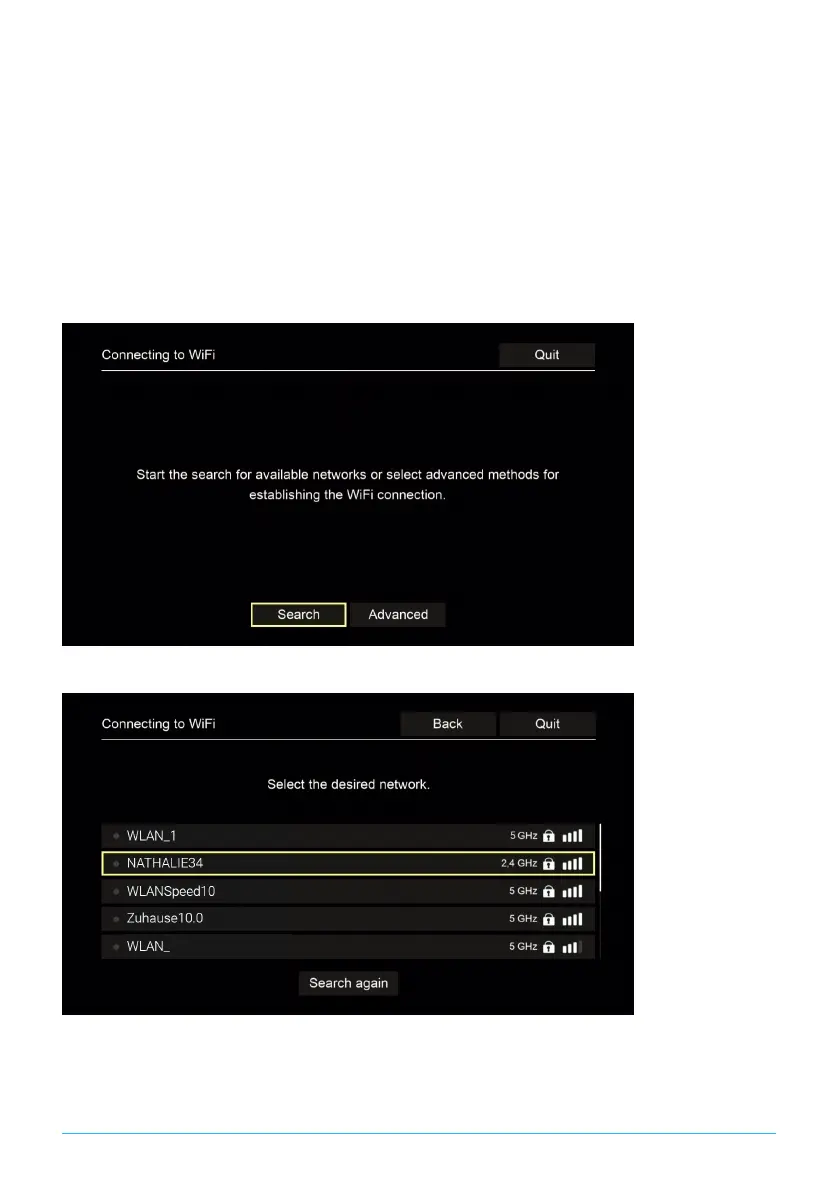
5.5.1.1 WiFi search
1. In the setup menu, select the menu item Connecting to WiFi.
2. Activate the button Search by pressing OK (see Figure 5 on page 9).
3. Select the WiFi network you want to use from the list that is displayed. Make
sure the signal strength is adequate (see Figure 6 on page 9).
4. Use the on-screen keyboard that is displayed to enter the WiFi password and
confirm your input by pressing OK.
5. Wait until the connection is established and then press Quit repeatedly until
the message Successfully established the network connection. is displayed.
Figure 5: WiFi setup
Figure 6: Available WiFi networks
P520 IP | 9


 To Next Page