Replacement
Collimator Cover Details
CCD Camera Cover
CAUTION: Don’t touch the CCD camera unless you’re wearing a grounded wrist strap. Damage to camera
circuitry from electrostatic discharge may otherwise occur.
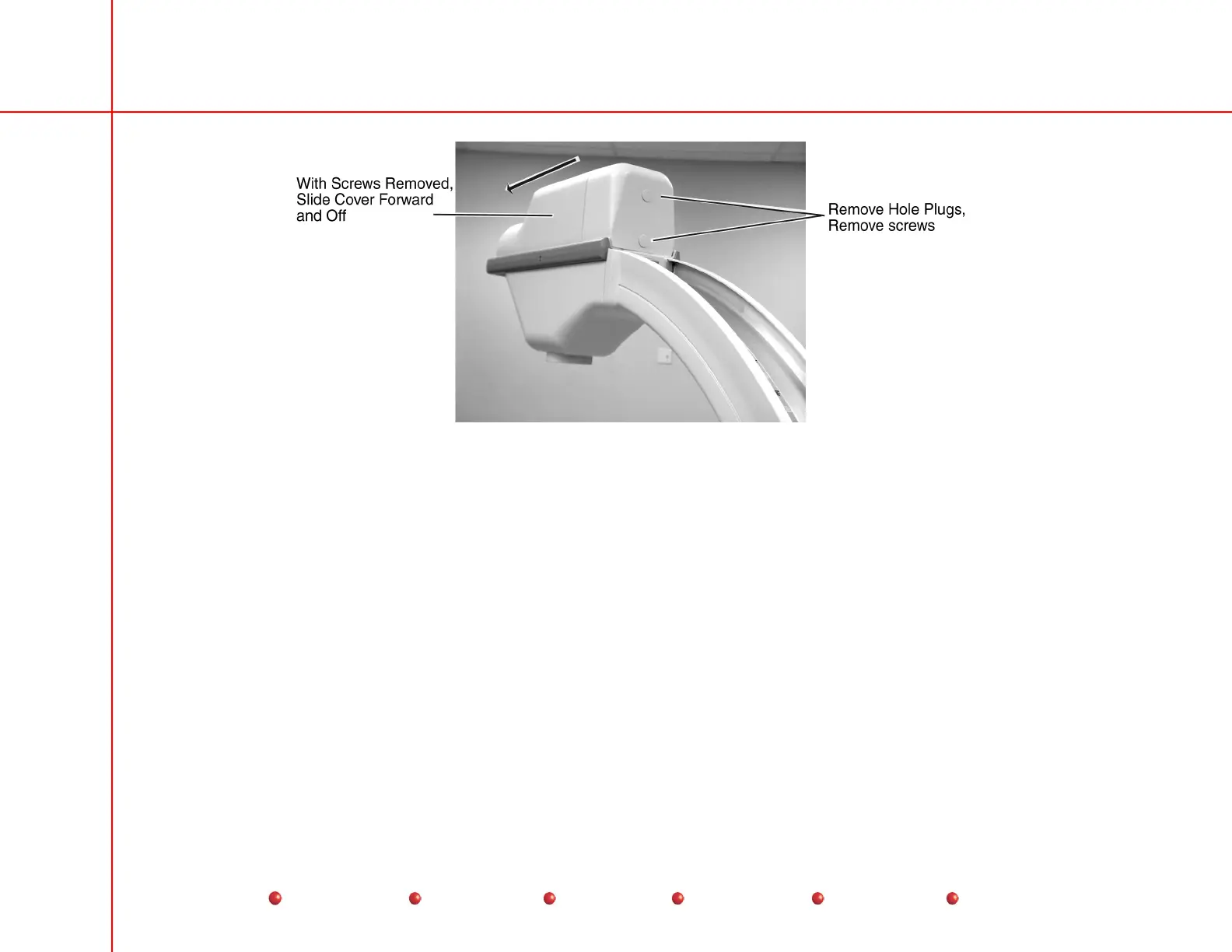
Two screws hold the CCD camera cover in place (see CCD Camera and Cover section, later in this chapter). The location of
these screws varies depending on image intensifier size. Refer to the following illustration to locate the screws on a 9-inch or 12-
inch image intensifier, and follow these steps:.
1. Disconnect Workstation’s AC power plug from AC outlet.
2. Remove and retain screws to release the CCD camera cover.
14
Service
Periodic Maintenance
Contents
Schematics
Illustrated Parts
Installation



 To Next Page