EasyManua.ls Logo

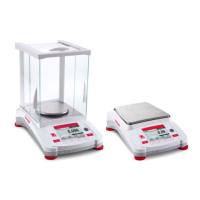
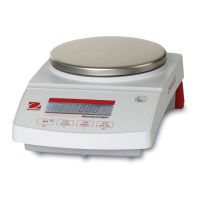
OHAUS Adventurer AX4202 - User Manual

OHAUS Adventurer AX4202
64 pages
Print Icon
To Next Page IconTo Next Page
Loading...
Adventurer
TM
Balances
Instruction Manual

Table of Contents

Other manuals for OHAUS Adventurer AX4202

Questions and Answers

  • S
    seanhernandezAug 13, 2025
    What to do if my OHAUS Scales will not turn on?
    • A
      Andrea TaylorAug 14, 2025
      If your OHAUS Scales are not turning on, the issue is likely a power problem. Verify the power connection and voltage to ensure the scales are receiving power.
  • J
    Jonathon RossAug 17, 2025
    Why can't I calibrate my OHAUS Adventurer AX4202?
    • B
      Brianna AdamsAug 17, 2025
      Several factors can prevent calibration of your OHAUS Scales. Here are a few things to check: * Ensure the Calibration Menu lock is off. * Confirm that Approved Mode is off. * Make sure the environment is stable; relocate the scales if necessary. * Verify that you are using the correct calibration masses.
  • E
    Eric KingAug 21, 2025
    What does 'Low Reference weight' mean on my OHAUS Adventurer AX4202 Scales, and how to fix it?
    • S
      sandersryanAug 21, 2025
      A 'Low Reference weight' message on your OHAUS Scales means the reference weight is too small. Increase the sample size to resolve this.
  • P
    Paul JacksonAug 25, 2025
    What does 'Invalid Piece Weight' mean on my OHAUS Adventurer AX4202 Scales, and how to resolve it?
    • L
      lloydmichelleAug 25, 2025
      An 'Invalid Piece Weight' message on your OHAUS Scales indicates that the average piece weight is too small. To fix this, increase the average piece weight.
  • M
    mcmillanjosephAug 28, 2025
    Why are my OHAUS Adventurer AX4202 showing poor accuracy?
    • L
      Linda GallegosAug 28, 2025
      Poor accuracy with your OHAUS Scales can stem from a couple of causes. First, the scales may need calibration. Try performing a calibration. Second, an unstable environment can affect accuracy. Relocate the scales to a more suitable, stable location.
  • A
    Amanda MccormickSep 1, 2025
    Why do my OHAUS Scales display 'Operation Timeout'?
    • M
      Mathew MartinSep 1, 2025
      An 'Operation Timeout' error on your OHAUS Scales indicates that the weight reading is not stable. Try moving the balance to a more suitable location to ensure stability.
  • E
    Ethan KingSep 5, 2025
    Why can't I change the menu settings on my OHAUS Adventurer AX4202?
    • L
      Laura JohnsonSep 5, 2025
      If you are unable to change menu settings on your OHAUS Scales, it could be due to a locked sub-menu. Try unlocking the sub-menu. Also, ensure that Approved Mode is turned off.
  • A
    Amber SheaSep 9, 2025
    What does '------' mean on OHAUS Adventurer AX4202 Scales?
    • T
      Thomas DudleySep 9, 2025
      The '------' display on OHAUS Scales indicates that the balance is busy. It may be performing a tare, zeroing, printing, or waiting for a stable weight. Wait until the process is completed.

Summary

Introduction and Safety

Signal Warnings and Safety Precautions

Explains signal words, warning symbols, and essential safety measures for operation.

Installation and Setup

Connecting Power and Interface

Steps for connecting the balance to power and to a computer or printer.

Initial Calibration Procedures

Explains the necessity and methods for initial balance calibration (AutoCal, External).

Applications

Weighing Operations

Guide to using the weighing application for determining item weight.

Parts Counting

Instructions for using the Parts Counting application for uniform weight items.

Percent Weighing

How to measure sample weight as a percentage of a reference weight.

Dynamic Weighing

Guide to weighing unstable loads using manual or automatic modes.

Density Determination: Solid in Water

Step-by-step guide for measuring solid density in water.

Density Determination: Buoyant Material and Auxiliary Liquid

Procedures for density of buoyant materials and solids using auxiliary liquids.

Density Determination: Liquid with Sinker

How to measure liquid density using a calibrated sinker and its volume.

Density Determination: Porous Material

Procedure for determining density of porous materials using oil.

Check Weighing

How to compare sample weight against target limits.

Display Hold and Peak Hold

Capturing and storing stable or highest stable weights.

Totalization

Measuring cumulative weight of multiple items.

Menu Settings

Calibration Overview and Methods

Details on available calibration methods (Internal, AutoCal, Span, Linearity, Test).

Legal for Trade (LFT)

Printing

Maintenance

Calibration, Cleaning, Troubleshooting

Procedures for calibration verification, cleaning, and troubleshooting common issues.

Technical Data

Limited Warranty

OHAUS Adventurer AX4202 Specifications

General IconGeneral
Capacity4200 g
Readability0.01 g
CalibrationExternal
DisplayLCD
Legal for TradeNo
Repeatability (std. dev.)0.01 g
Linearity±0.02 g
Auto-offYes
Level IndicatorYes
Overload IndicationYes
Underload IndicationYes
Weighing UnitsGram; Kilogram; Ounce; Pound
Operating Temperature10°C to 40°C
PowerAC adapter
Housing MaterialPlastic
InterfaceRS232

Related product manuals