EasyManua.ls Logo

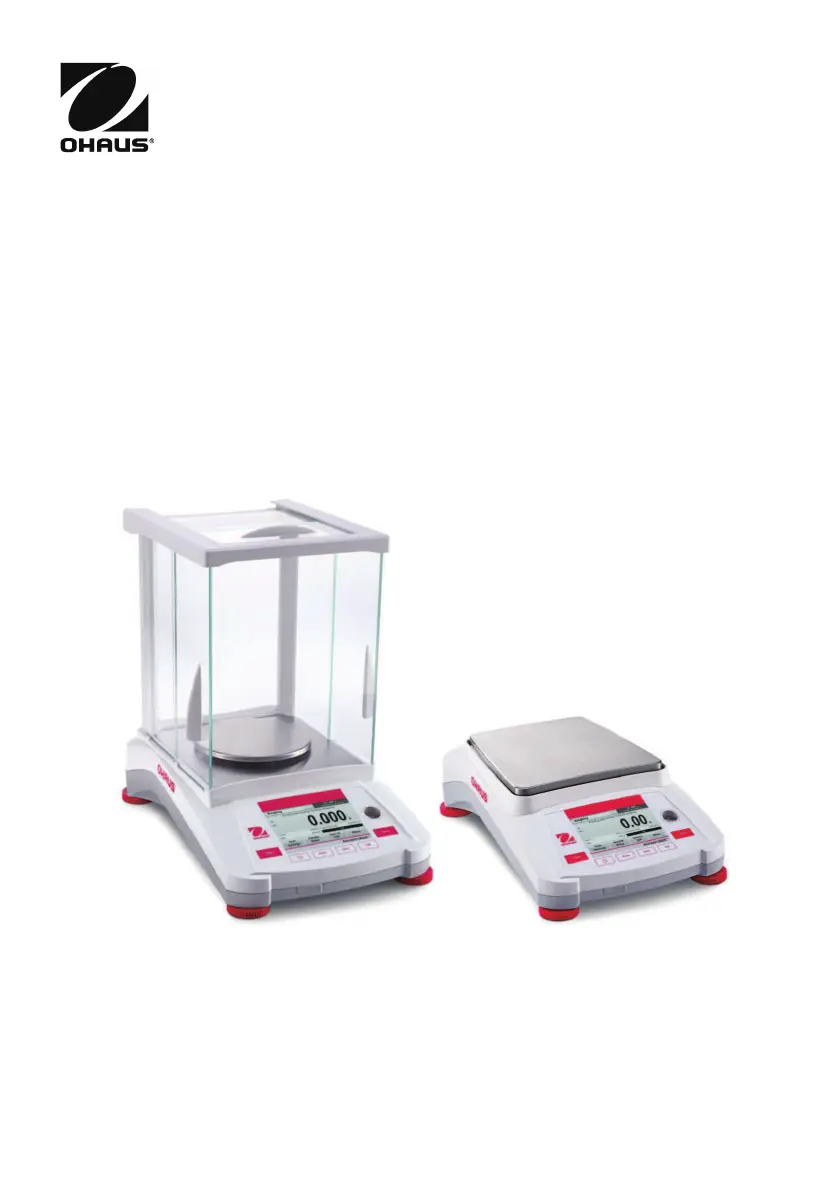
OHAUS Adventurer AX124/E - User Manual

OHAUS Adventurer AX124/E
64 pages
Print Icon
To Next Page IconTo Next Page
Loading...
Adventurer
TM
Balances
Instruction Manual

Table of Contents

Other manuals for OHAUS Adventurer AX124/E

Questions and Answers

  • B
    Bradley ReyesAug 13, 2025
    What to do if my OHAUS Adventurer AX124/E Scales will not turn on?
    • P
      pharperAug 13, 2025
      If your OHAUS Scales are not turning on, the issue is likely a power problem. Verify the power connection and voltage to ensure the scales are receiving power.
  • N
    Norman StewartAug 16, 2025
    Why can't I calibrate my OHAUS Adventurer AX124/E?
    • S
      Stephanie ArnoldAug 16, 2025
      Several factors can prevent calibration of your OHAUS Scales. Here are a few things to check: * Ensure the Calibration Menu lock is off. * Confirm that Approved Mode is off. * Make sure the environment is stable; relocate the scales if necessary. * Verify that you are using the correct calibration masses.
  • R
    rodriguezaprilAug 20, 2025
    What does 'Low Reference weight' mean on my OHAUS Adventurer AX124/E, and how to fix it?
    • K
      Kimberly ThompsonAug 20, 2025
      A 'Low Reference weight' message on your OHAUS Scales means the reference weight is too small. Increase the sample size to resolve this.
  • T
    Travis HuffmanAug 25, 2025
    What does 'Invalid Piece Weight' mean on my OHAUS Adventurer AX124/E Scales, and how to resolve it?
    • J
      Jeremiah HudsonAug 25, 2025
      An 'Invalid Piece Weight' message on your OHAUS Scales indicates that the average piece weight is too small. To fix this, increase the average piece weight.
  • K
    katrinafranklinAug 27, 2025
    Why are my OHAUS Adventurer AX124/E showing poor accuracy?
    • C
      Catherine BrewerAug 28, 2025
      Poor accuracy with your OHAUS Scales can stem from a couple of causes. First, the scales may need calibration. Try performing a calibration. Second, an unstable environment can affect accuracy. Relocate the scales to a more suitable, stable location.
  • M
    mgutierrezAug 31, 2025
    Why do my OHAUS Adventurer AX124/E Scales display 'Operation Timeout'?
    • A
      Allen RodriguezAug 31, 2025
      An 'Operation Timeout' error on your OHAUS Scales indicates that the weight reading is not stable. Try moving the balance to a more suitable location to ensure stability.
  • E
    eholderSep 5, 2025
    Why can't I change the menu settings on my OHAUS Scales?
    • M
      Mary HamiltonSep 5, 2025
      If you are unable to change menu settings on your OHAUS Scales, it could be due to a locked sub-menu. Try unlocking the sub-menu. Also, ensure that Approved Mode is turned off.
  • C
    Cindy RyanSep 8, 2025
    What does '------' mean on OHAUS Adventurer AX124/E Scales?
    • M
      Michael PowellSep 8, 2025
      The '------' display on OHAUS Scales indicates that the balance is busy. It may be performing a tare, zeroing, printing, or waiting for a stable weight. Wait until the process is completed.

OHAUS Adventurer AX124/E Specifications

General IconGeneral
Capacity120 g
Readability0.1 mg
Pan Size90 mm
DisplayLCD
InterfaceRS232
Operating Temperature10 °C to 40 °C
Legal for TradeNo
CalibrationInternal Calibration
Power SupplyAC adapter
UnitsCarat; Grain; Gram; Kilogram; Ounce; Pennyweight; Pound; Custom
Humidity10% to 85% RH (non-condensing)

Related product manuals