EasyManua.ls Logo

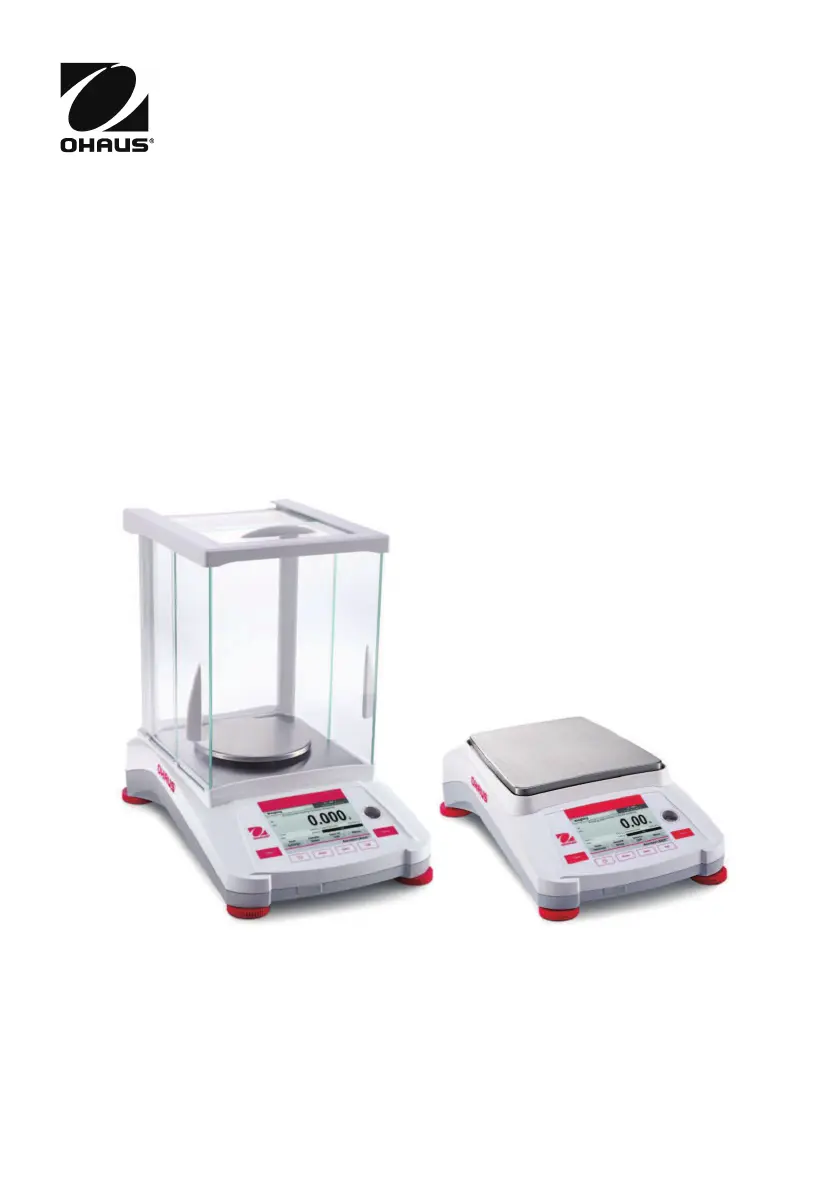
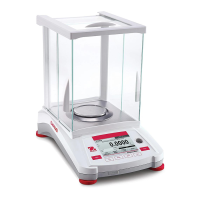
OHAUS Adventurer AX124 - User Manual

OHAUS Adventurer AX124
64 pages
Print Icon
To Next Page IconTo Next Page
Loading...
Adventurer
TM
Balances
Instruction Manual

Table of Contents

Other manuals for OHAUS Adventurer AX124

Questions and Answers

  • R
    rogerstinaAug 12, 2025
    What to do if my OHAUS Adventurer AX124 Scales will not turn on?
    • G
      Gail JonesAug 12, 2025
      If your OHAUS Scales are not turning on, the issue is likely a power problem. Verify the power connection and voltage to ensure the scales are receiving power.
  • E
    Eric VangAug 16, 2025
    Why can't I calibrate my OHAUS Scales?
    • V
      Vincent CarpenterAug 16, 2025
      Several factors can prevent calibration of your OHAUS Scales. Here are a few things to check: * Ensure the Calibration Menu lock is off. * Confirm that Approved Mode is off. * Make sure the environment is stable; relocate the scales if necessary. * Verify that you are using the correct calibration masses.
  • B
    Brenda HebertAug 19, 2025
    What does 'Low Reference weight' mean on my OHAUS Scales, and how to fix it?
    • K
      Kevin WilsonAug 19, 2025
      A 'Low Reference weight' message on your OHAUS Scales means the reference weight is too small. Increase the sample size to resolve this.
  • P
    Pamela DavidAug 23, 2025
    What does 'Invalid Piece Weight' mean on my OHAUS Scales, and how to resolve it?
    • A
      Allison HansenAug 23, 2025
      An 'Invalid Piece Weight' message on your OHAUS Scales indicates that the average piece weight is too small. To fix this, increase the average piece weight.
  • L
    Lisa JonesAug 27, 2025
    Why are my OHAUS Adventurer AX124 Scales showing poor accuracy?
    • S
      Sarah SmithAug 27, 2025
      Poor accuracy with your OHAUS Scales can stem from a couple of causes. First, the scales may need calibration. Try performing a calibration. Second, an unstable environment can affect accuracy. Relocate the scales to a more suitable, stable location.
  • D
    Dana RoweAug 31, 2025
    Why do my OHAUS Adventurer AX124 display 'Operation Timeout'?
    • J
      Jeremy MillerAug 31, 2025
      An 'Operation Timeout' error on your OHAUS Scales indicates that the weight reading is not stable. Try moving the balance to a more suitable location to ensure stability.
  • J
    johnharrisSep 3, 2025
    Why can't I change the menu settings on my OHAUS Adventurer AX124 Scales?
    • F
      Frederick ThomasSep 3, 2025
      If you are unable to change menu settings on your OHAUS Scales, it could be due to a locked sub-menu. Try unlocking the sub-menu. Also, ensure that Approved Mode is turned off.
  • K
    Kathleen HartSep 7, 2025
    What does '------' mean on OHAUS Adventurer AX124?
    • A
      Alexandra BrownSep 7, 2025
      The '------' display on OHAUS Scales indicates that the balance is busy. It may be performing a tare, zeroing, printing, or waiting for a stable weight. Wait until the process is completed.

OHAUS Adventurer AX124 Specifications

General IconGeneral
Capacity120 g
Readability0.1 mg
Repeatability0.1 mg
Linearity±0.2 mg
InterfaceRS232
Auto-offYes
DraftshieldYes
Pan Size90 mm
CalibrationInternal Calibration
DisplayLCD
Power SupplyAC Adapter
UnitsCarat; Grain; Gram; Ounce; Pennyweight
Operating Temperature10°C to 30°C

Related product manuals