EN-4 SF40A Printer
2.3 Printer Setup
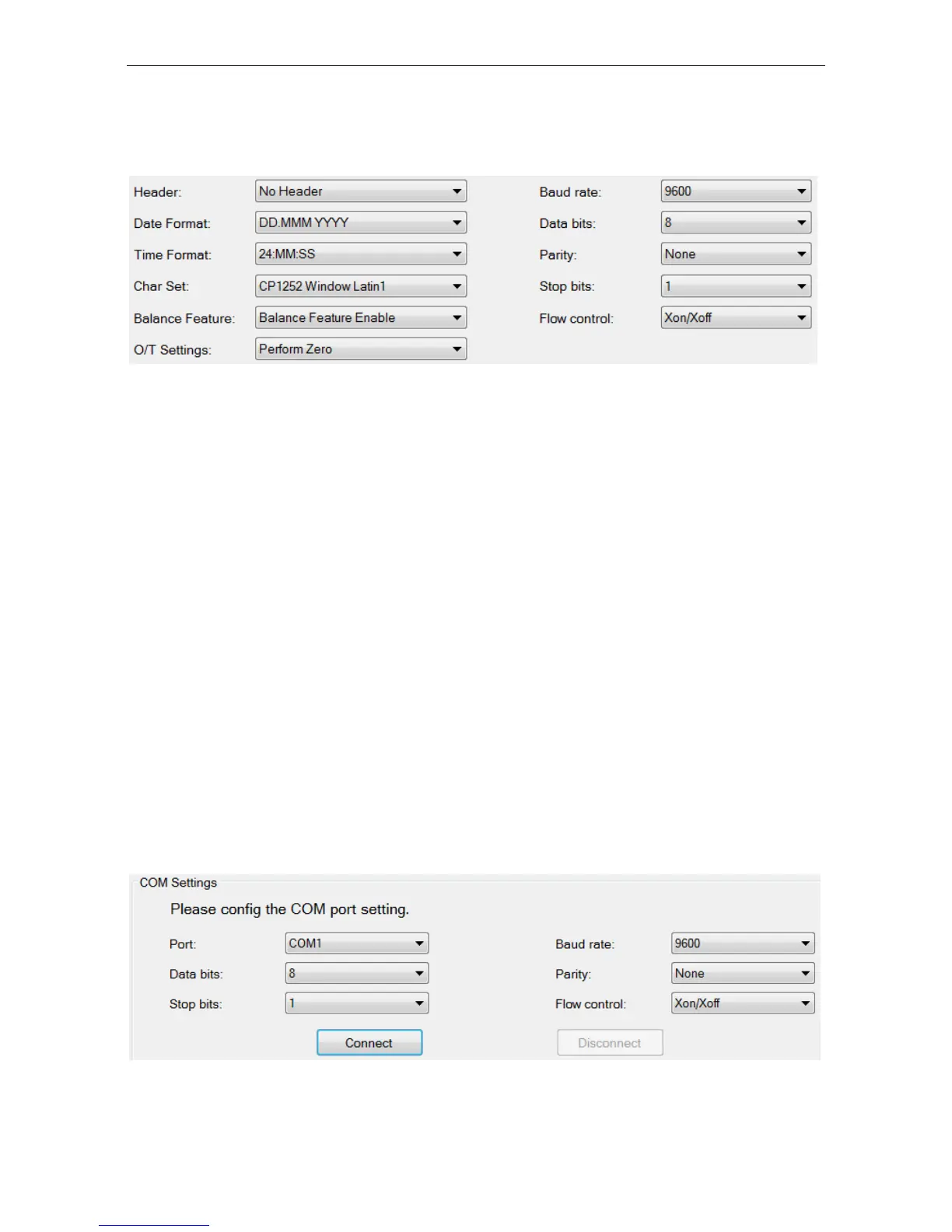
The default setting of the printer is as below, if you want change some of
them you need set up before use it.
There are two ways to change the default setting:
Use the accompanying software
Operate on the printer only.
2.3.1 Printer setup using accompanying software
1) Attach the interconnect cable to the printer interface on the computer
and to the printer.
2) Connect the printer to the main power supply.
3) Use the main switch <I/O> to power on.
4) Insert the CD into the computer and install the printer software.
5) Run the software and set up the RS232 parameter of computer, then
click the “Connect” button.



 To Next Page