SKIPPER 6000
TPLINK WIFI MODULE INSTALLATION AND CONFIGURATION
Ref: 30251574
10
Client: It connects to a network created by an Access Point or Router and acts as
a Bridge. It is used to provide wireless connection to a device without wireless card.
This will be the working mode used in scales wirelesss connection.
WISP Client Router: It is like the first but with the difference that connects to the
ISP (Internet Service Provider) wirelessly and not wired.
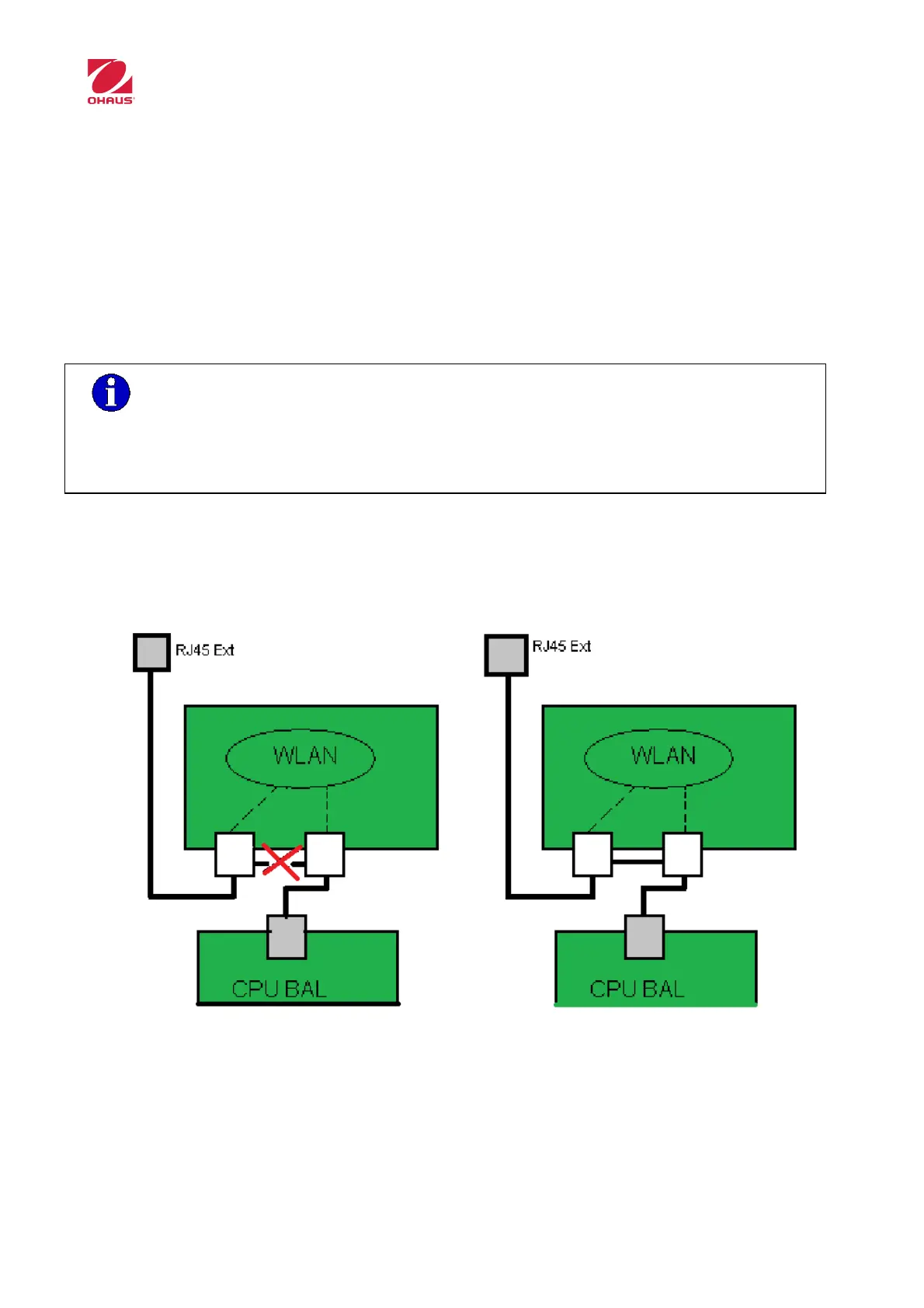
It has 2 RJ-45 ports and acts as a switch between these 2 ports when is configured as
client. Both ports are connected to the WLAN interface (Wireless)
LAN connector - Ethernet External Connector.
Connector LAN / WAN - CPU Ethernet Connector.
Only if the device is configured as client, both RJ-45 connectors are internally
linked. So, there is access to the CPU Ethernet Connector by the external Ethernet
connector.
Other
configurations
Client
configuration



 To Next Page