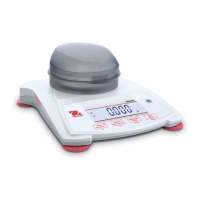
What to do if OHAUS SPX8200 Scales display 'CAL E'?
- SspearssheilaSep 9, 2025
If your OHAUS Scales are showing 'CAL E', it means the calibration process has failed. Ensure you carefully follow the calibration process.
What to do if OHAUS SPX8200 Scales display 'CAL E'?
If your OHAUS Scales are showing 'CAL E', it means the calibration process has failed. Ensure you carefully follow the calibration process.
Why OHAUS SPX8200 Scales cannot calibrate?
If your OHAUS Scales cannot calibrate, it might be because the security switch is in a locked position.
How to fix OHAUS SPX8200 that will not turn on?
If your OHAUS Scales won't turn on, the issue might be due to a lack of power. Check the power supply to ensure it is properly connected and functioning.
What to do if OHAUS SPX8200 Scales show 'Err 8.3'?
If your OHAUS Scales display the error message 'Err 8.3', it means the weight on the scale exceeds its rated capacity. To resolve this, remove the excess weight from the scale.
Why OHAUS SPX8200 show Err 8.3?
The Err 8.3 error on your OHAUS Scales indicates an overload, meaning the weight on the scale exceeds its rated capacity.
What does 'USB.Err' mean on OHAUS SPX8200 Scales?
If your OHAUS Scales display 'USB.Err', it means that the menu or app file cannot be found in the U-disk. Check the U-disk to ensure it contains the required files.
What does 'ref.err' mean on OHAUS SPX8200?
If your OHAUS Scales display 'ref.err', it means there is a parts counting or percentage error because the sample weight is less than 1d. Use a sample weight that is 1d or greater.
What does 'Lo.ref' mean on OHAUS Scales?
If your OHAUS Scales display 'Lo.ref', it means the Percent Reference weight or APW is too low for accurate results. Increase the reference weight or APW.
What does 'Err 8.4' mean on OHAUS SPX8200 Scales?
If your OHAUS Scales display 'Err 8.4', this indicates an underload condition, meaning the pan is removed. Make sure the pan is properly in place.
Why OHAUS Scales show Err 8.6?
The Err 8.6 error on OHAUS Scales indicates that the displayed value exceeds 999999, which is possible in Totalization mode.
Lists critical safety warnings and precautions to be followed before installation, connection, or servicing.
Steps for connecting the AC adapter for power and battery installation.
Importance and requirement of initial calibration for accuracy after installation or relocation.
Identifies and describes the functions of buttons on the Scout Control Panel.
Procedure for powering the balance on and off using the designated button.
Steps for performing a span calibration, including using the security switch and accepting readings.
Instructions for using the default weighing mode, including taring and adding samples.
Accessing calibration options like Span and Linearity calibration.
Details on setting balance parameters like Reset, Filter, Auto Zero Tracking, Backlight, Auto Tare, Auto Off.
A table listing common symptoms, possible causes, and remedies for balance issues.
Lists critical safety warnings and precautions to be followed before installation, connection, or servicing.
Steps for connecting the AC adapter for power and battery installation.
Importance and requirement of initial calibration for accuracy after installation or relocation.
Identifies and describes the functions of buttons on the Scout Control Panel.
Procedure for powering the balance on and off using the designated button.
Steps for performing a span calibration, including using the security switch and accepting readings.
Instructions for using the default weighing mode, including taring and adding samples.
Accessing calibration options like Span and Linearity calibration.
Details on setting balance parameters like Reset, Filter, Auto Zero Tracking, Backlight, Auto Tare, Auto Off.
A table listing common symptoms, possible causes, and remedies for balance issues.
| Capacity | 8200 g |
|---|---|
| Readability | 0.1 g |
| Calibration | External |
| Linearity | ± 0.2 g |
| Repeatability | 0.1 g |
| Display | LCD |
| Operating Temperature Range | 10 °C to 40 °C |
| Power | AC Adapter |
| Units of Measurement | g, oz, lb |
| Power Supply | AC Adapter (Included) |
| Interface | RS232 |
| Operating Temperature | 10 °C to 40 °C |