EasyManua.ls Logo

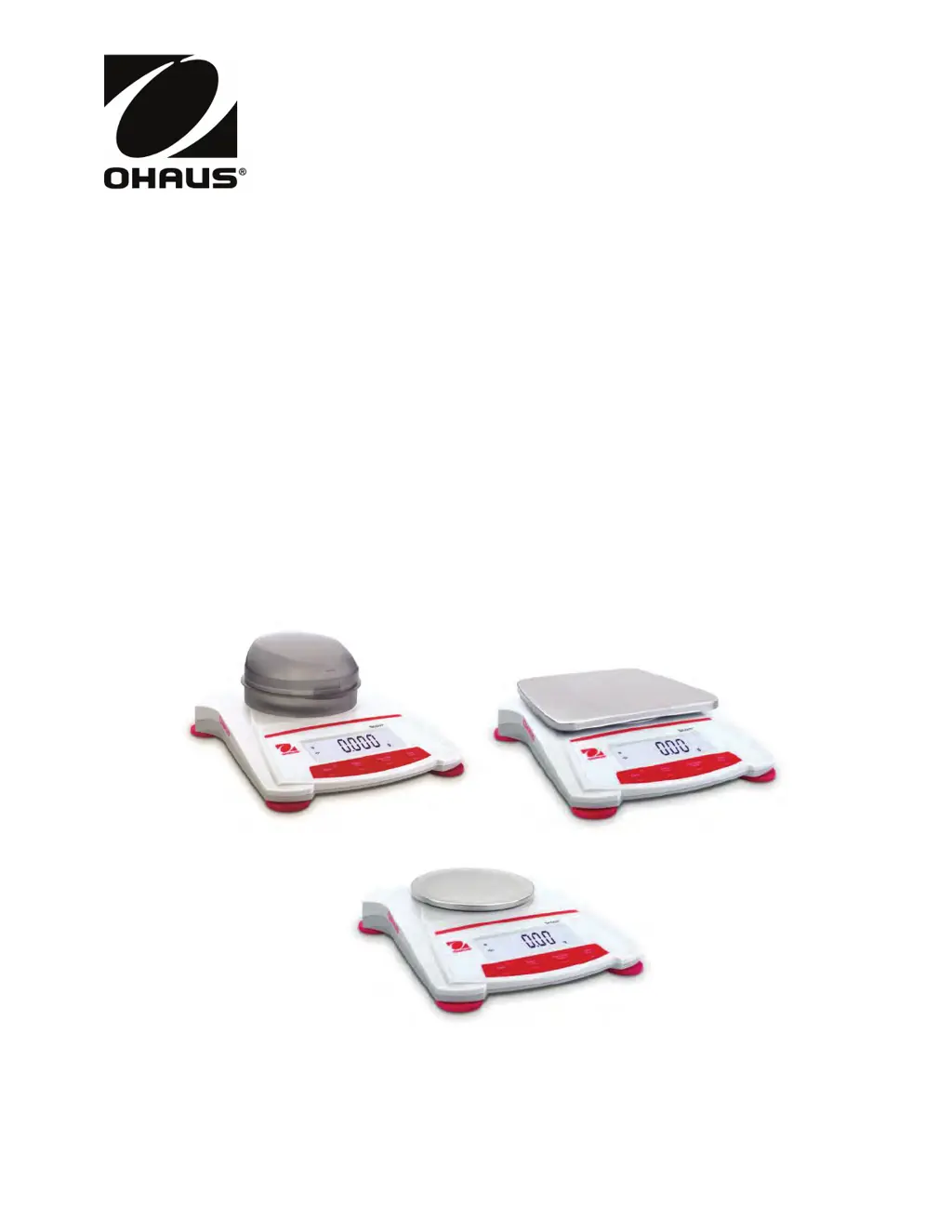
OHAUS Scout SKX Series - User Manual

OHAUS Scout SKX Series
83 pages
Print Icon
To Next Page IconTo Next Page
Loading...
Scout
TM
Series Balances - SKX
Instruction Manual
Balanzas Scout
TM
- SKX Series
Manual de Instrucciones
Balances Scout
TM
Séries - SKX
Mode d’emploi
Bilance Serie Scout
TM
- SKX
Manuale d’Istruzioni
Scout
TM
Waagen-Serien SKX
Bedienungsanleitung
www.GlobalTestSupply.com
Find Quality Products Online at: sales@GlobalTestSupply.com

Table of Contents

Other manuals for OHAUS Scout SKX Series

Questions and Answers

  • J
    Jorge Marshall IIIAug 17, 2025
    What to do if OHAUS Scout SKX show Err 8.3?
    • J
      Jennifer DelgadoAug 17, 2025
      If your OHAUS Scales display 'Err 8.3', it indicates an overload situation where the weight exceeds the rated capacity. To resolve this, reduce the weight on the scale to stay within its specified limits.
  • P
    Philip GreeneAug 19, 2025
    What does Err 8.1 mean on OHAUS Scout SKX and how to fix it?
    • G
      gibbsjosephAug 20, 2025
      If your OHAUS Scales show 'Err 8.1', this means the weight exceeds the power on zero range. Remove the excess weight to fix this issue.
  • P
    Patrick EvansAug 22, 2025
    What does Err 8.2 mean on OHAUS Scales?
    • J
      jthompsonAug 22, 2025
      If your OHAUS Scales are showing 'Err 8.2', it means the weight is below the power on zero range. You should add weight to correct this.
  • M
    Morgan Allen MDAug 25, 2025
    What to do if OHAUS Scout SKX display Err 8.4?
    • E
      eric34Aug 26, 2025
      If your OHAUS Scales show 'Err 8.4', it means there is an under load condition, usually because the pan has been removed. Make sure to place the pan back on the scale.
  • M
    moracoreyAug 28, 2025
    Why are my OHAUS Scout SKX showing poor accuracy?
    • M
      Melissa CarrilloAug 28, 2025
      If your OHAUS Scales are not providing accurate measurements, it might be due to improper calibration or an unstable environment. Recalibrate the scale and ensure the environment is stable.
  • M
    Mark LynchAug 30, 2025
    What does CAL E mean on OHAUS Scout SKX Scales?
    • M
      mcampbellAug 30, 2025
      If your OHAUS Scales display 'CAL E', it means the calibration process has failed. Try to calibrate the scales again.
  • E
    Emma EdwardsSep 2, 2025
    What does Err 8.5 mean on OHAUS Scout SKX?
    • P
      Paige JohnsonSep 2, 2025
      If your OHAUS Scales display 'Err 8.5', it indicates that the tare setting is out of range. Review and adjust the tare settings accordingly.
  • G
    Gary AndersonSep 5, 2025
    What does error Err 8.6 mean on OHAUS Scout SKX Scales?
    • M
      Makayla CruzSep 5, 2025
      If your OHAUS Scales display 'Err 8.6', the displayed value has exceeded 999999, which can occur in Totalization mode. Reset the totalization to resolve this.
  • T
    Taylor WhitneySep 7, 2025
    What does ref.err mean on OHAUS Scout SKX?
    • A
      Arthur AndersonSep 7, 2025
      If your OHAUS Scales show 'ref.err', it means there is a parts counting or percentage error because the sample weight is less than 1d. Ensure the sample weight is adequate.
  • T
    Timothy SmithSep 10, 2025
    What does Lo.ref mean on OHAUS Scout SKX?
    • C
      Christopher MccarthySep 12, 2025
      If your OHAUS Scales display 'Lo.ref', it means the Percent Reference weight or APW is too low for accurate results. Increase the reference weight to fix this.

Summary

Introduction to OHAUS Scout Series Balances

Signal Warnings and Symbols Definition

Defines signal words and warning symbols used in the manual for safety.

General Safety Precautions

Lists essential safety warnings for installation, connection, and servicing.

Installation Guide for OHAUS Scout Series Balances

Releasing the Shipping Lock

Instructions on how to release the transportation lock on the balance.

Installing the Weighing Pan

Guide on placing and securing the weighing pan onto the balance.

Security Slot Functionality

Describes the security slot at the rear for securing the balance with a lock.

Selecting the Optimal Location

Recommendations for choosing a stable and suitable environment for balance operation.

Connecting Power Sources

Details on connecting the AC adapter and installing batteries for power.

Initial Calibration Procedure

Explains the necessity and process for initial calibration after installation.

Operating the OHAUS Scout Series Balances

Scout Control Panel Overview

Overview of the Scout Control Panel and functions of each button.

Powering the Balance On and Off

Instructions for powering the balance on and off using the On/Zero Off button.

Calibration Operation Steps

Detailed steps for performing span calibration to ensure accurate readings.

Using the Weighing Mode

Steps for entering and using the standard weighing mode.

Density Mode Calculation

How to use the balance in Density Mode to calculate specific gravity.

Mole Weighing Mode Guide

Guide to entering and using the Mole Weighing mode for calculations.

Menu Settings and Configuration

Menu Navigation Instructions

Explains how to navigate through the balance's menu structure.

Calibration Menu Options

Details the options within the calibration menu for Span and Linearity.

Setup Menu Parameters

Lists and describes parameters available in the Setup menu for customization.

Mode Menu Activation

How to activate specific weighing modes like Weigh, Density, and Mole.

Unit Menu Activation

Instructions for activating and selecting available weighing units.

Additional Features of OHAUS Scout Balances

Weigh Below Hook Usage

Details on using the weigh below hook for suspended weighing.

Interface Connectivity

Information on connecting the balance to computers or printers via interface kits.

Maintenance and Troubleshooting

Cleaning Guidelines

Guidelines for safely cleaning the balance housing and control panel.

Troubleshooting Common Issues

Common problems, their causes, and suggested remedies for the balance.

Available Accessories List

List of available accessories for the Scout series balances.

Technical Data and Specifications

Balance Model Specifications

Table of technical specifications for various Scout SKX balance models.

Physical Dimension Drawings

Diagrams illustrating the physical dimensions of the balance.

Compliance Standards Information

Information on the product's compliance with various EU and North American standards.

Disposal and Regulatory Notes

FCC Compliance Statement

FCC compliance statement regarding radio frequency energy and interference.

Industry Canada Compliance

Industry Canada compliance statement for digital apparatus.

ISO 9001 Registration Details

Information about OHAUS Corporation's ISO 9001 quality management system certification.

Limited Warranty Information

OHAUS Scout SKX Series Specifications

General IconGeneral
DisplayLCD with backlight
CalibrationExternal calibration
Legal for TradeNo
Auto-OffYes
Power SupplyAC adapter or 4 AA batteries (optional)
Operating Temperature10°C to 40°C
Units of Measurementg, oz, ozt, dwt, ct, gn, tl, N
Stabilization Time1.5 seconds
InterfaceUSB (optional)

Related product manuals