EasyManua.ls Logo

OHAUS Scout SJX Series - User Manual

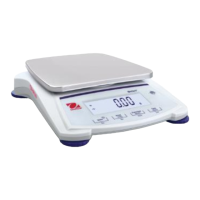
OHAUS Scout SJX Series
24 pages
Print Icon
To Next Page IconTo Next Page
Loading...
Scout
TM
SJX Series Balances
Instruction Manual

Questions and Answers

  • J
    Joshua KnappAug 16, 2025
    What to do if OHAUS Scout SJX Scales show Err 8.3?
    • J
      Julian KnightAug 16, 2025
      If the OHAUS Scales display the error message Err 8.3, this indicates an overload condition. The weight on the scale exceeds its rated capacity.
  • D
    Dr. Douglas CastroAug 19, 2025
    What does Err 8.4 mean on OHAUS Scout SJX Scales?
    • J
      Jennifer Kerr DDSAug 19, 2025
      If the OHAUS Scales display the error message Err 8.4, this indicates an underload condition, meaning the pan has been removed.
  • M
    Miranda BarreraAug 22, 2025
    What does Err 8.1 mean on OHAUS Scout SJX Scales?
    • V
      Veronica BradyAug 22, 2025
      If the OHAUS Scales display the error message Err 8.1, it means the weight exceeds the power-on zero range.
  • K
    Kayla DurhamAug 25, 2025
    What does Err 8.2 mean on OHAUS Scout SJX Scales?
    • N
      Nathan PhillipsAug 25, 2025
      If the OHAUS Scales display the error message Err 8.2, it means the weight is below the power-on zero range.
  • W
    Wanda ArmstrongAug 27, 2025
    What does Err 8.5 mean on OHAUS Scout SJX?
    • T
      Taylor ReynoldsAug 28, 2025
      If the OHAUS Scales display the error message Err 8.5, it indicates that the tare is out of range.
  • D
    daniel15Aug 30, 2025
    What does ref.err mean on OHAUS Scout SJX Scales?
    • A
      Ann FletcherAug 30, 2025
      If the OHAUS Scales display the error message ref.err, it means there is a parts counting or percentage error because the sample weight is less than 1d. The balance shows an error and then exits parts counting or goes to [Clr.APU].
  • J
    Jason HernandezSep 2, 2025
    What does Err 8.6 mean on OHAUS Scout SJX Scales?
    • J
      Julie RiveraSep 2, 2025
      If the OHAUS Scales display the error message Err 8.6, it indicates that the displayed value exceeds 999999, which is possible in Totalization mode.
  • F
    foxthomasSep 5, 2025
    What does Err 8.7 mean on OHAUS Scales?
    • B
      Brandy StrongSep 5, 2025
      If the OHAUS Scales display the error message Err 8.7, it indicates an unknown internal weight position.
  • R
    Ronnie LittleSep 7, 2025
    What does Lo.ref mean on OHAUS Scales?
    • B
      buckjonathanSep 7, 2025
      If the OHAUS Scales display the error message Lo.ref, it means that the Percent Reference weight or APW is too low for accurate results.
  • J
    Jean ReedSep 10, 2025
    What does USB.Err mean on OHAUS Scales?
    • R
      Robin SmithSep 10, 2025
      If the OHAUS Scales display the error message USB.Err, it means that the menu or app file cannot be found in the U-disk.

Summary

Introduction to OHAUS Scout SJX Series Balances

Definition of Signal Warnings and Symbols

Explains signal words and symbols used for safety in the manual.

Safety Precautions

Lists essential safety guidelines to follow before installing, connecting, or servicing the equipment.

Installation Guide for OHAUS Scout SJX Balances

Installing Balance Components

Instructions for assembling the balance with its various components.

Selecting the Optimal Location

Guidance on choosing an optimal environment for balance placement and operation.

Leveling the Balance for Accuracy

Details on how to ensure the balance is level for accurate weighing using the indicator.

Connecting Power Supply

Instructions for connecting the AC adapter for power supply.

Initial Calibration Procedure

Steps for calibrating the balance upon installation or relocation for accuracy.

Operating the OHAUS Scout SJX Balances

Control Panel Overview and Button Functions

Overview of the balance's control panel and button functions.

Turning the Balance On and Off

Procedure for powering the balance on and off.

Calibration Operations

Detailed steps for performing internal and external span calibration procedures.

Weighing Mode

Instructions for using the balance in its default weighing mode.

Counting Mode Functionality

Guide on how to use the balance for counting items based on reference weight.

Percent Weighing Mode

How to measure a sample's weight as a percentage of a reference weight.

Check Mode for Range Comparison

Instructions for comparing weights against target ranges (positive, negative, zero checks).

Totalize Mode for Accumulating Weights

Method to store and accumulate a series of weight measurements.

Density Mode for Specific Gravity

Procedure for calculating specific gravity using a density kit.

Hold Mode for Capturing Values

How to capture and store stable weight values (Peak Hold or Display Hold).

Menu Settings and Configuration

Menu Navigation Structure

Overview of how to navigate through the balance's menu system.

Calibration Menu Options

Accessing calibration options like internal, automatic, span, and linearity.

Setup Menu Parameters

Configuring balance parameters such as reset, filter, backlight, and auto-tare.

Mode Menu Activation

Activating specific operating modes (Weighing, Counting, etc.) for use with the Mode button.

Unit Menu Settings

Enabling and selecting available weighing units for display and use.

Additional Features Overview

Information on features like the weigh below hook and interface connectivity.

Maintenance and Service Information

Cleaning Instructions

Guidelines for safely cleaning the balance housing and control panel.

Troubleshooting Common Issues

Common problems, their causes, and remedies for balance issues.

Service and Technical Support

How to contact OHAUS for service or technical support when issues persist.

Available Accessories List

List of available accessories and their corresponding item numbers.

Technical Data and Specifications

Detailed Specifications by Model

Detailed technical specifications including capacity, readability, and dimensions for various models.

Balance Dimensions Drawings

Diagrams showing balance dimensions and mounting points.

Compliance and Certifications

Information regarding compliance with various safety and regulatory standards.

OHAUS Scout SJX Series Specifications

General IconGeneral
BrandOHAUS
ModelScout SJX Series
CategoryScales
LanguageEnglish

Related product manuals