SKIPPER 6000
TPLINK WIFI MODULE INSTALLATION AND CONFIGURATION
Ref: 30251574
15
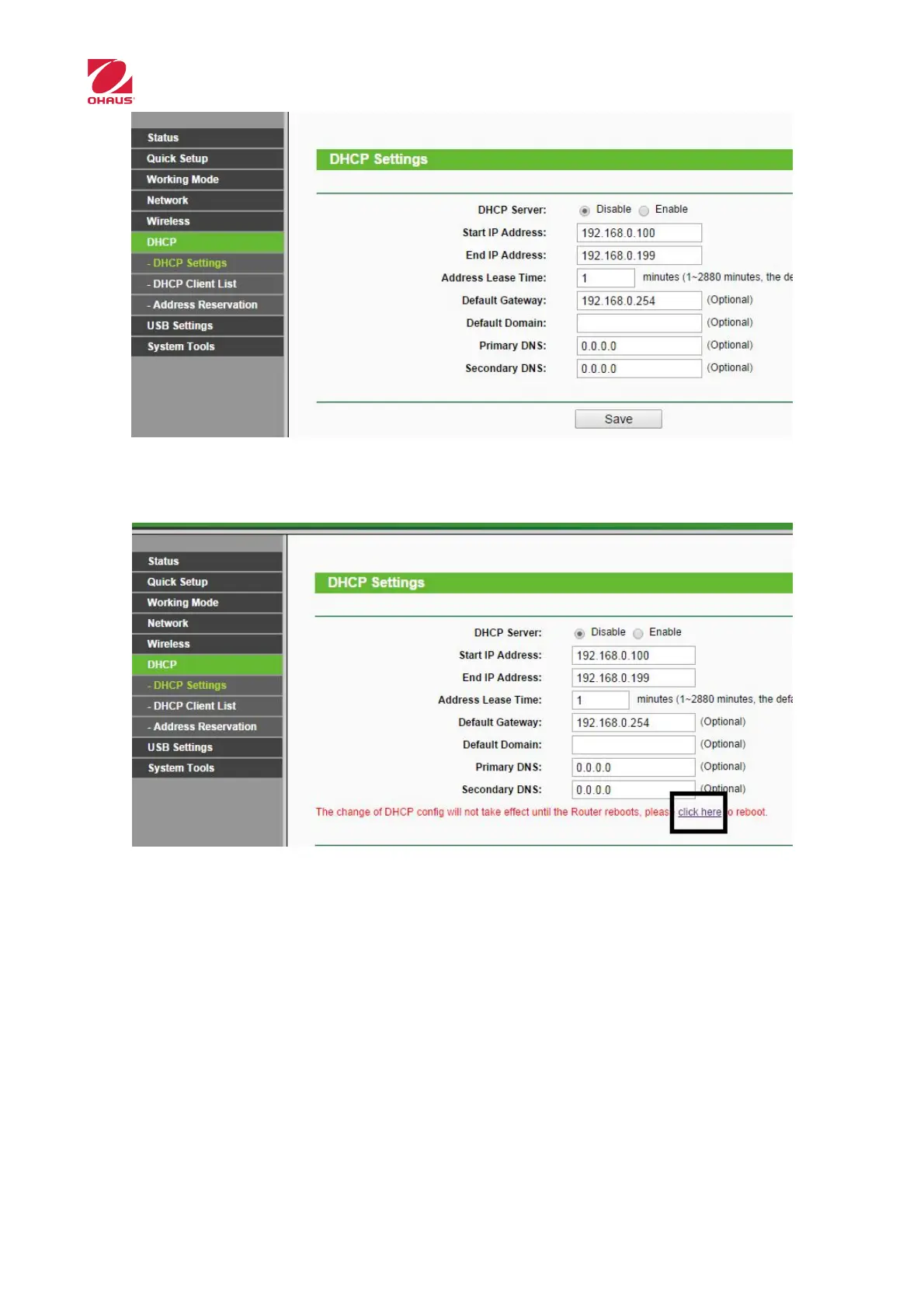
A message is shown below indicating that you must restart device to apply changes. Click
on the link for it (Click here)
11. Create a configuration file
It can be generated a configuration file to apply this configuration to other modules
without doing all steps.
When configuration is done select the menu “System Tools->Backup & Restore” and
click “Backup”.



 To Next Page