61
STI 7575 PRO
EN
APPLIANCE USE
ENERGY SAVING (ECO MODE)
By using “ECO mode”, it is possible to save energy without compromising on the ironing
result
.
1. To activate the “ECO mode”, press and hold the ON/OFF button (16) for 2 seconds
(Figure “P”). The light turns green.
2. To switch back to the “Optimal Temp Technology” setting, switch the steam
generator o and back on again by pressing the button (16).
11
CLEANING AND MAINTENANCE
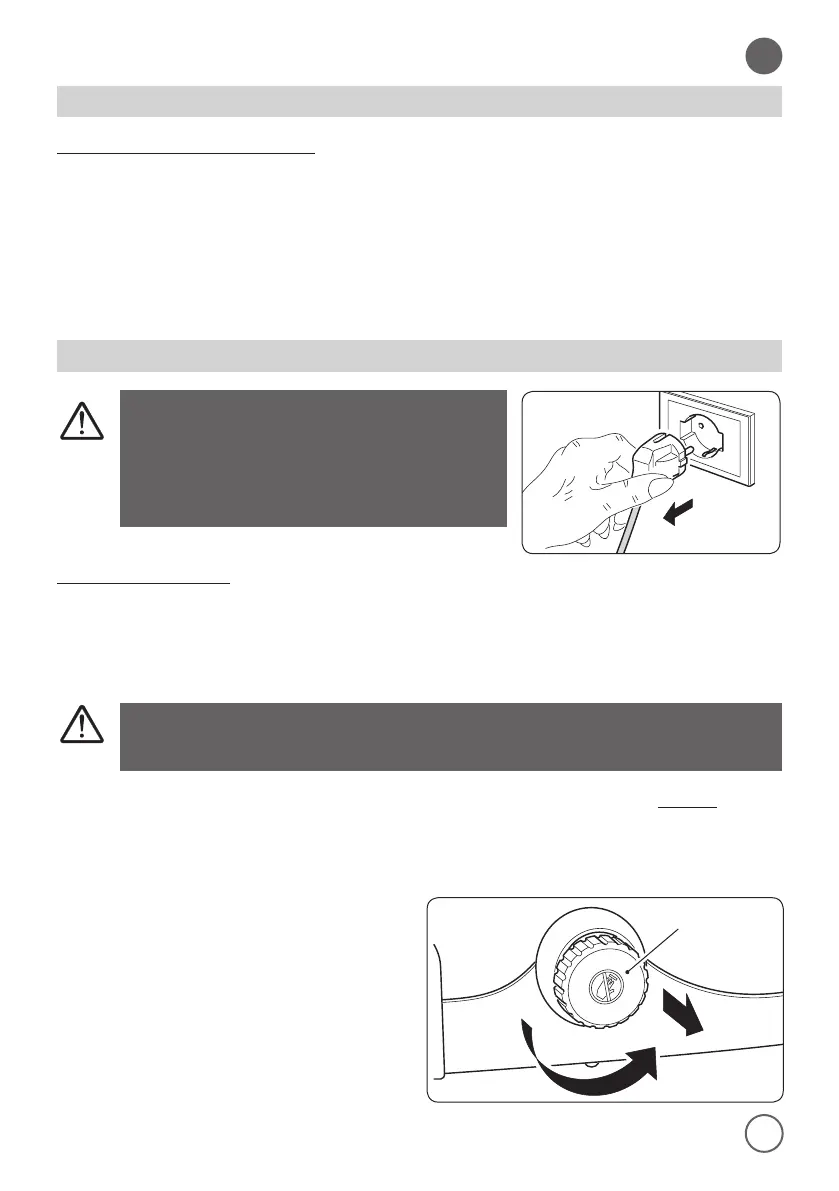
Before starting the cleaning, always
disconnect the plug from the power
outlet and wait dor the plate to be
completely cooled
.
BOILER DESCALING
It is very important to perform the decalcication procedure when the EASY DE CALC
(18) indicator light starts ashing (after a total of 8 hours of work
)
(Figure “Q”)
.
To descale the boiler, proceed as follows
:
Never remove the EASY DE-CALC cap (11) when the steam
generator is hot. Burns danger ! !
1. Press the ON/OFF button (16) to switch o the steam generator and always remove
the plug from the wall socket.
2. Position the appliance in order to be able to unload and collect the water in the
boiler without damaging the working surface (on a sink, for instance).
3. Hold a cup under the EASY DE CALC
(11) cap.
> > > > >


 To Next Page