EasyManua.ls Logo

Oki B 6200 - User Manual

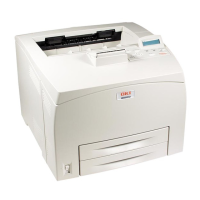
Oki B 6200
70 pages
Print Icon
To Next Page IconTo Next Page
Loading...
B6200/B6300 SERIES
network print environment user's guide

Table of Contents

Other manuals for Oki B 6200

Questions and Answers

  • E
    Erin GriffithSep 8, 2025
    What to do if Oki Printer says please reboot printer?
    • A
      Andrea DaySep 8, 2025
      If your Oki Printer displays 'Please reboot printer,' switch off the printer, then switch it on again. This will resolve errors occurring in the NetWare interface.
  • E
    elizabeth20Sep 10, 2025
    Why am I getting no notification of Oki Printer errors?
    • T
      tylerjohnsonSep 10, 2025
      If you're not receiving notifications for Oki Printer errors, ensure your user name and group name are registered in the Notify Candidate List of the print server. Register them in the Notify section.
  • J
    Joseph GonzalezSep 12, 2025
    Why is there no end-of-job notification from Oki B 6200 Printer?
    • K
      kmontgomerySep 12, 2025
      If you're not getting end-of-job notifications from your Oki Printer, specify the NOTIFY option when sending jobs from your computer. Also, make sure the NetWare CASTON utility is executed on the computer, not the CASTOFF utility.
  • V
    vangdevonSep 14, 2025
    Why has the name of my Oki B 6200 been changed?
    • J
      Jacqueline BrownSep 14, 2025
      If the name of your Oki Printer has changed, it's possible the AppleTalk function is changing it because it detects another printer with the same name on the network. To fix this, change the name of your printer or the other printer to avoid duplicate names.
  • W
    William CampbellSep 16, 2025
    Why does Oki B 6200 Printer not appear in Chooser?
    • S
      Scott GreenSep 16, 2025
      If the Oki Printer does not appear in Chooser, it might be set up as a slave of the Apple Share Print Server or Windows NT Server, and its NBP entity name has been changed from LaserWriter. If the printer's NBP entity name type has been changed, open the printer using the Apple Share Print Server or Windows NT Server. Also, ensure the network is correctly connected. If the printer is off or the network cable is faulty, it cannot be found.
  • B
    bchaseSep 18, 2025
    How to fix Oki B 6200 if unable to obtain desired print results?
    • S
      Sarah MorganSep 18, 2025
      To obtain desired print results from your Oki Printer, ensure that PostScript and AdobePS are set up as the print language for the printer and printer driver, respectively.

Oki B 6200 Specifications

General IconGeneral
BrandOki
ModelB 6200
CategoryPrinter
LanguageEnglish

Related product manuals