10 / 11
GD-1340
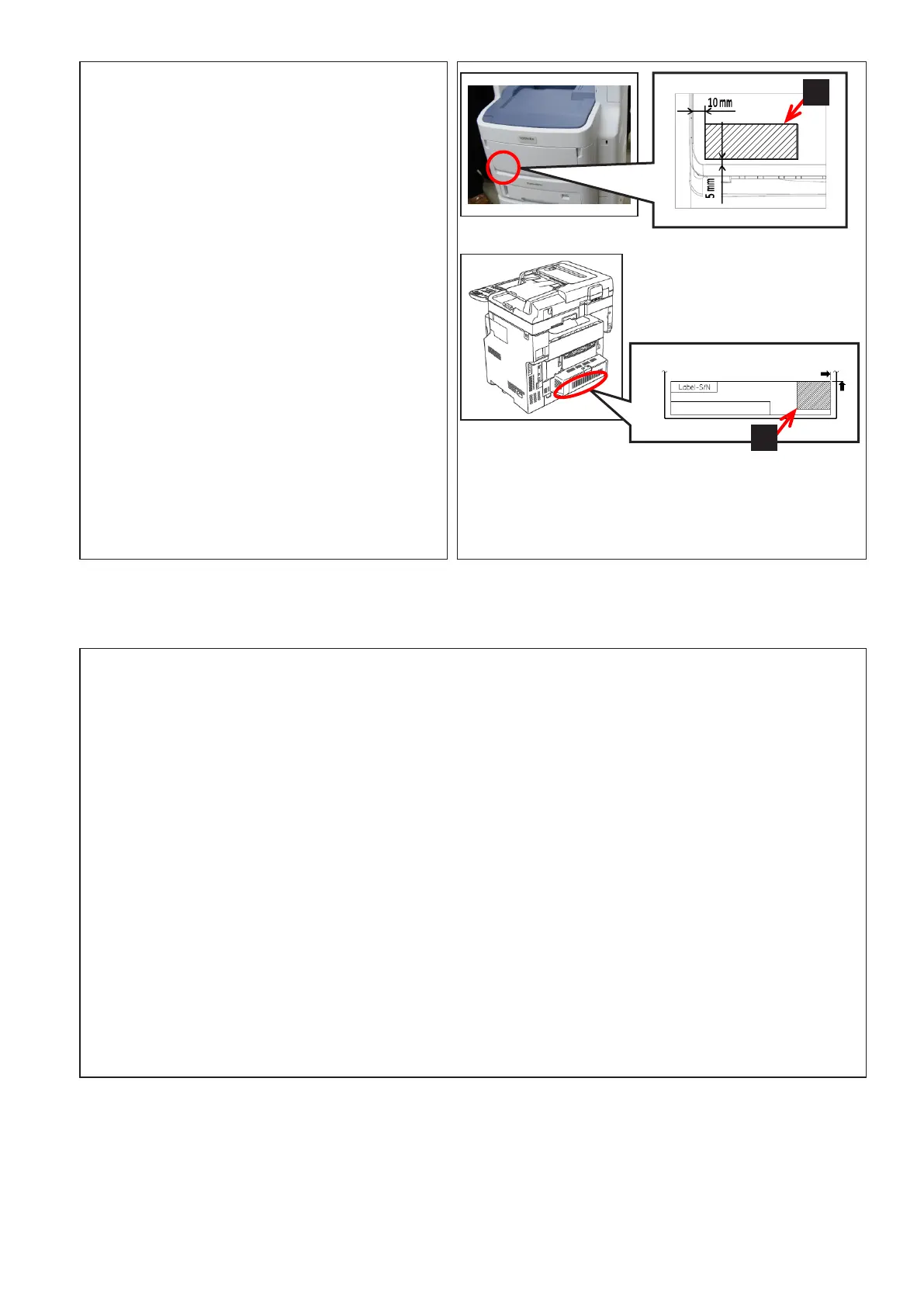
22. Attach the label [H].
•H:1
23. Select the corresponding label [J]
according to the destination and applicable
model and attach it.
•J:1
24. The operation is now completed.
Setting Destination
1. Destination
(1)Plugthepowercable.
(2)TurnthepowerONbymeansofthemainpowerswitchwhilepressing[0]and[8]simultaneously.
(3)[9001]
→
[START]button
(4)Keyinthedestinationnumbershownbelowandthenpressthe[OK]button.
0:Japan
1:Asia/Chile/Peru/Argentina/SaudiArabia/Singapore/Malaysia
2:Australia/NewZealand 3:HongKong 4:U.S.A/Canada
5:Germany/Cyprus/Luxembourg/Ireland
6:England 7:Italy 8:Belgium
9:Holland 10:Finland 11:Spain
12:Austria 13:Switzerland 14:Sweden
15:Denmark 16:Norway 17:Portugal
18:France 19:Greece 20:Poland
21:Hungary 22:CzechRep. 23:Turkey
24:SouthAfrica 25:Taiwan 26:Russia
27:Brazil
(5)Shutdowntheequipmentbypressingthe[ON/OFF]buttonuntilasoundisaudible.
J
H



 To Next Page