13
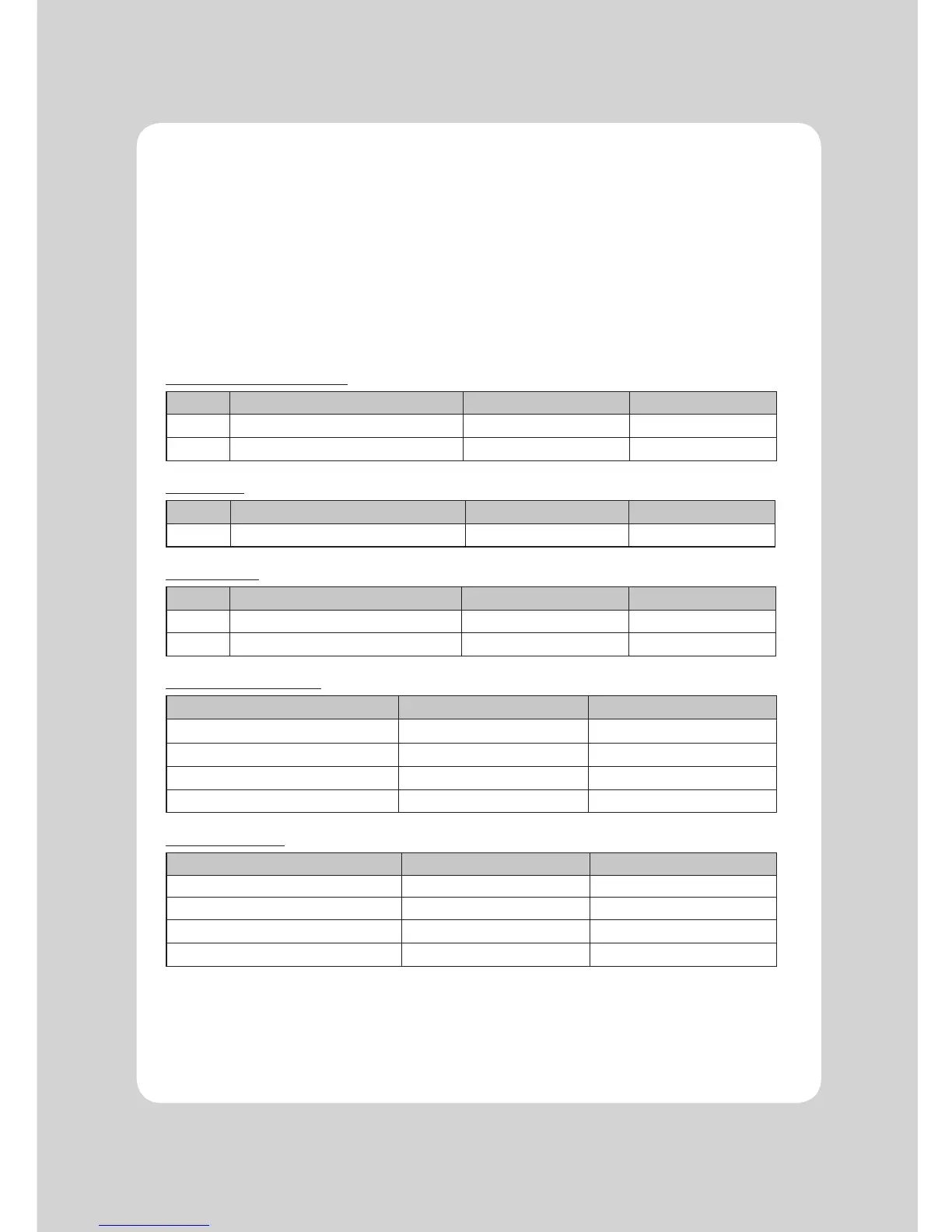
3-4. Dip Switch Setting
The printer is set up at the factory to be appropriate for almost all users. It does, however, offer some
settings for users with special requirements.
It has DIP switches that allow you to change communication baudrate setting and print
density, as well as melody setting.
The functions of the switches are shown in the following tables.
♣Note : Turn power off unplug the printer. Open the Dip Switch cover to change settings.
3-4-1. DIP S/W Setting
DIP Switch Setting (Standard)
SW FUNCTION ON OFF
3 Hexadecimal HEXDUMP NORMAL
6 Cut Mode Cutting OFF Cutting ON
Print Density
SW Function ON OFF
4 Print Density Dark Normal
Melody Setting
SW FUNCTION ON OFF
7 External Melody Port Cash B Cash A
8 Melody Mode Internal Melody External Melody
Melody Volume Selection
Melody Volume SW9 SW10
High ON ON
Medium ON OFF
Medium OFF ON
Low OFF OFF
Baud rate selection
Transmission Speed SW1 SW2
115200 BPS ON ON
9600 BPS OFF OFF
19200 BPS ON OFF
38400BPS OFF ON


 To Next Page