17
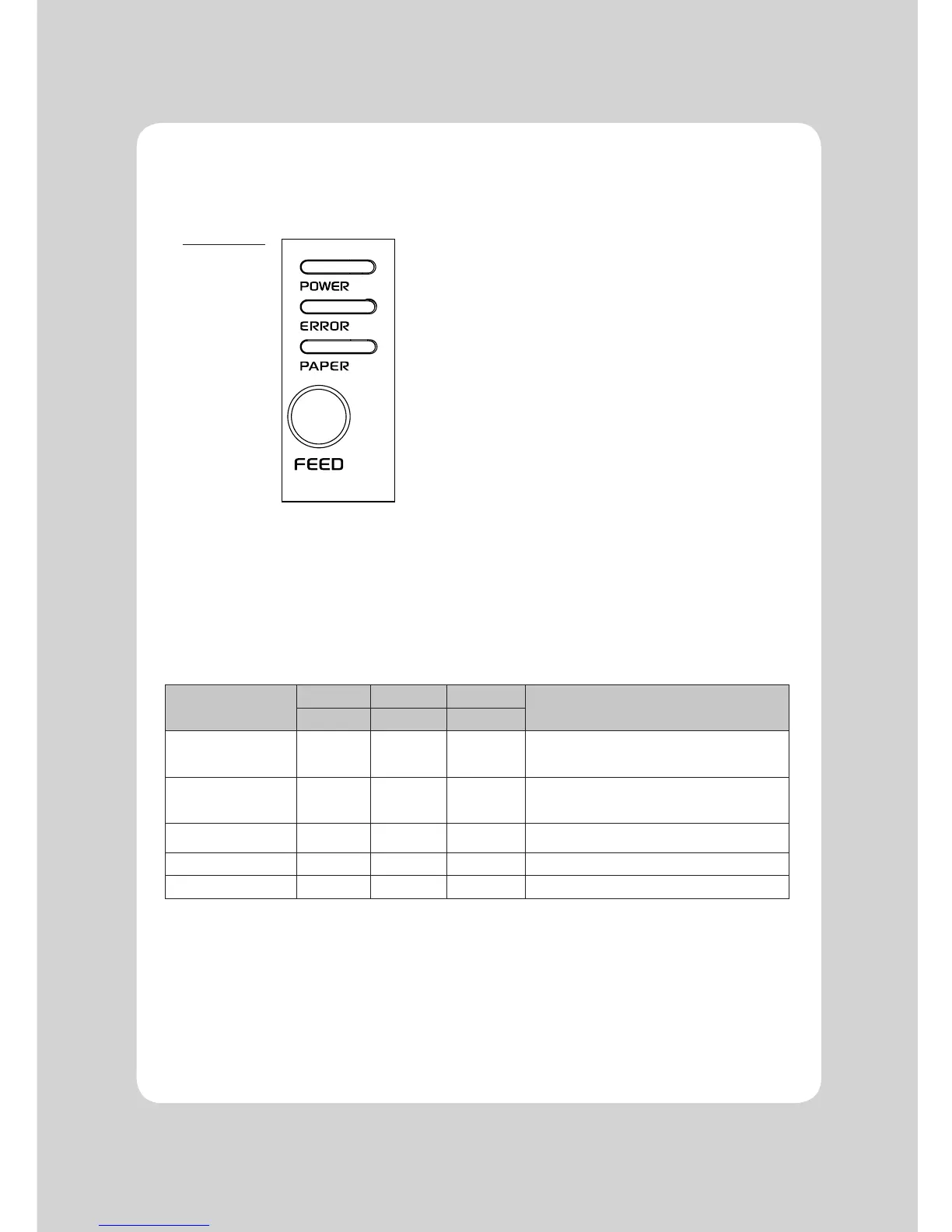
4-1. Control panel
You can control the basic paper feeding operations of the printer with the button on the control panel.
The indicator lights help you to monitor the printer’s status.
Control Panel
Press the FEED button once to advance paper one line. You can also hold down the FEED button to
feed paper continuously.
4-2. Error indicators
This section explains the different patterns signaled by the three LED indicators located on the top
cover of the printer.
STATUS
PAPER ERROR POWER
REMARKS
RED RED GREEN
Power off OFF OFF OFF
Normal power is not supplied to
the printer
Power on OFF OFF ON
Normal power is supplied to the
printer
On line OFF OFF ON Normal error-free mode
Cover open OFF ON ON Close cover
Paper empty OFF ON ON Insert new paper roll
4. Control panel and other functions


 To Next Page