
 Need help?
Do you have a question about the OLIMEX AgonLight2 and is the answer not in the manual?
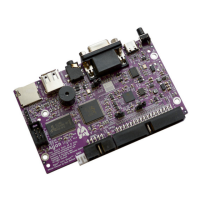
Defines AgonLight2 as a retro computer, its SBC nature, and core capabilities.
Lists available order codes and relevant links for purchasing AgonLight2 and accessories.
Highlights key technical and design differences between AgonLight and AgonLight2.
Step-by-step guide for preparing the microSD card and booting the AgonLight2 for initial use.
Detailed visual identification of components and connectors on the AgonLight2 circuit board.
Provides access to detailed schematic files for the AgonLight2 hardware design.
Link to a document containing precise physical dimensions and mounting hole specifications.
Explains power sources, connection requirements, and typical power consumption figures.
Description of the GPIO connector, pin assignments, and voltage level considerations.
Details the UEXT connector, its pinout, and compatible modules for hardware expansion.
Information on the Access bus connector, its I2C function, and power supply capabilities.
Details the eZ80 programming interface used for initial microcontroller setup.
Explains the function and default states of the jumpers for board configuration.
Overview of Quark BBC BASIC, Quark MOS, and Quark VDP firmware components.
Guidance on compatibility, updates, and recommended firmware versions for AgonLight2.
Instructions for installing the BBC BASIC interpreter and example programs on the SD card.
Steps to install Arduino IDE, ESP32 package, and FabGL library for VDP development.
Procedure for installing MOS onto the eZ80 chip using the Zilog IDE and programmer.
Resources for tested firmware and example code available on the Olimex GitHub repository.
A list of essential commands for operating the MOS command-line interface.
Comprehensive reference guide for BBC BASIC programming commands and syntax.
Details on accessing and manipulating General Purpose Input/Output pins via software.
Information on how to programmatically interact with the I2C communication interface.
Information on how to programmatically interact with the SPI communication interface.
Information on how to programmatically interact with the Video Processing Unit.
 General
| Clock Speed | 18.432 MHz |
|---|---|
| RAM | 512KB |
| Flash Memory | 512KB |
| Video Output | VGA |
| Audio Output | 3.5mm audio jack |
| Storage | MicroSD card slot |
| Keyboard | PS/2 |
| Expansion | GPIO header |
| Dimensions | 100mm x 100mm |
| CPU | Zilog Z80 |
| USB Ports | 1 x USB-C (for power) |
| GPIO Pins | 40 |
| Power Supply | 5V via USB Type-C |

 To Next Page
