10
10
CONFIGURATION OF THE THERMOSTAT
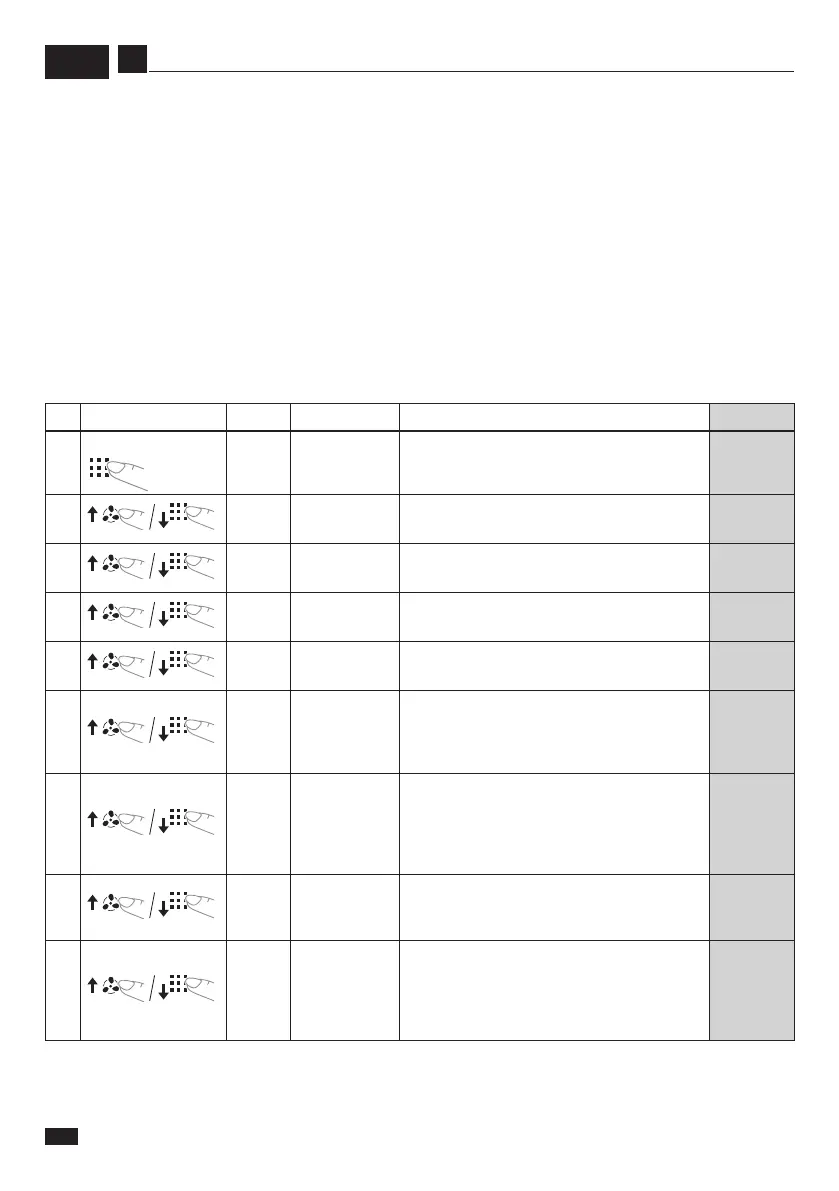
N.
Keys
Display
Range Description Default
“OFF”
5 seconds
1 CL -4,0°C
÷
+4,0°C Temperature adjustment 0°C
2 AH 20°C
÷
35°C Maximum settable temperature 30°C
3 AL 5°C
÷
18°C Minimum settable temperature 16°C
4 bL 1
÷
50%
Display backlighting
(in “low consumption” mode)
20
5 rE rE / rD
rE - In case of power failure, the thermostat
saves its status (ON or OFF) into memory.
rD - In case of power failure, at restart, the
thermostat will be set to OFF.
rE
6 PP OO / PP
PP - Protects the valve/pump in case of
inactivity for a long period of time: every
7 days the valve switches on for 15
seconds.
OO - Function disabled
PP
enabled
7 CH CO / CH
Mode selection:
CO - Cooling only
CH - Cooling and Heating
CH
8 RES
OFF / 2 / 10 /
100
OFF= no water temp. sensor
2: NTC - 2K
10: NTC - 10K
100: NTC - 100K
Externalsensor:watertemp.ONLY(noair)
OFF
EN
Thecongurationmenuallowstosettheoperatingcharacteristicsofthethermostataccordingtothesystemorper-
sonal needs.
- Switchothethermostat(
“OFF”
is displayed).
- Keepthe“Mode”key(14)pressedforapproximately5seconds;youenterthecongurationmenu.
- Set the desired value with the “arrow” keys (15 and 16).
- Press the “Mode” key (14) to switch to the next parameter or the key “Fan” (13) to return to the previous one.
- Presstheon/okey(12)toexittheconguration.
- To restore the factory settings, keep button “Mode” (14) pressed for approximately 5 seconds; the message
“DEF”
appears on the display.
Ifnokeyispressedwithin30seconds,displaybacklightinglowerstothevaluesetintheeld“bL”(from“0”to“50%”).
Whenexitingthecongurationmode,thechangedparameterswillbesavedautomatically.


 To Next Page