5. Finding the right music quickly
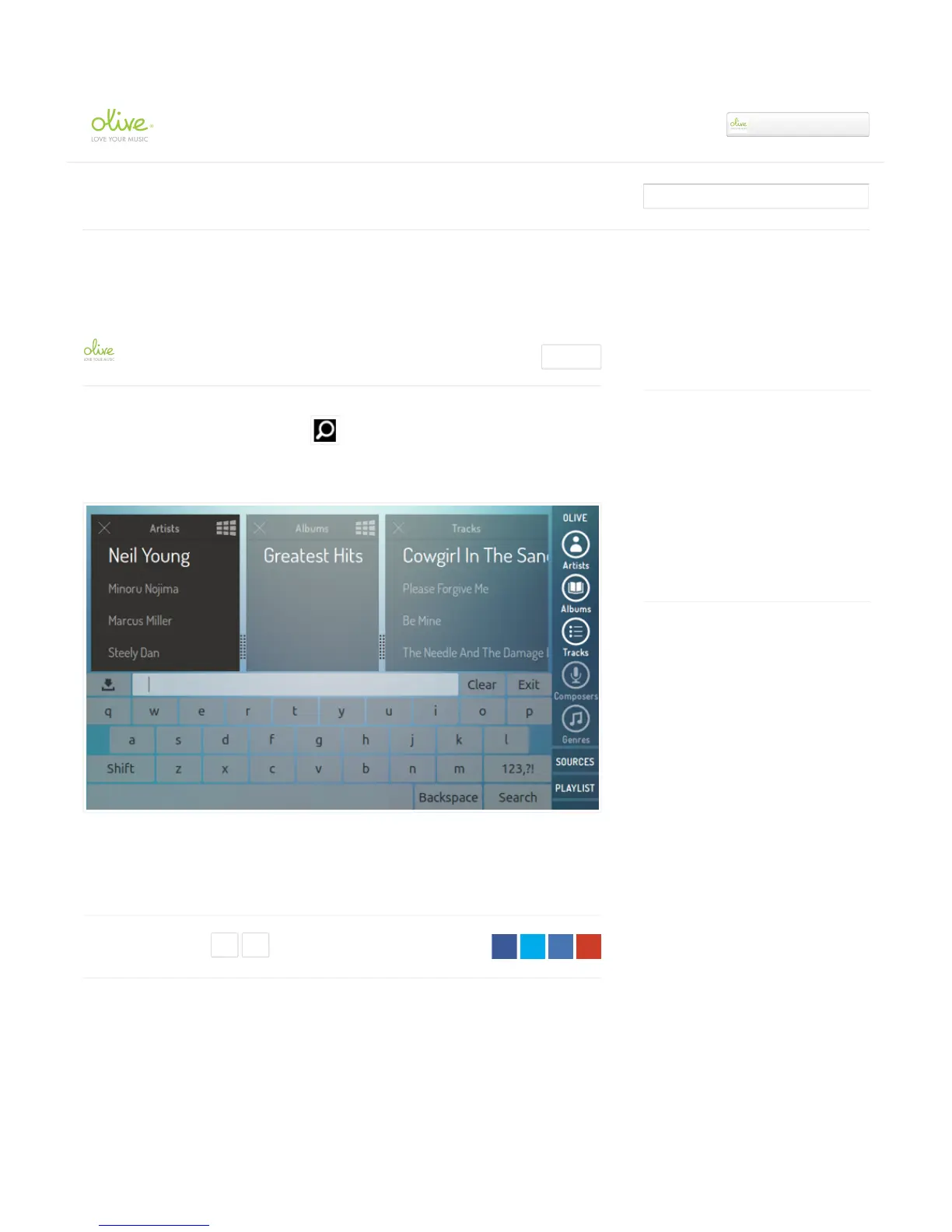
Access the search mask by tapping on the icon.
It allows you to search your music on the built-in HDD, UPnP shared libraries (supported software
packages only), and internet radio stations.
Simply tap on the column (metadata category) that you want to apply your search to, type in your
search term and press “Search”. The music library will dynamically update based on your search
term.
Comments
Article is closed for comments.
Recently viewed articles
4. Playing music
3. Transferring music to the internal hard disk
drive (HDD)
2. Connecting to your network
1. Setting up your Olive ONE
Related articles
6. Playlists
May 6, 2014: Manufacturing & Shipping
update
How to configure presentation levels on your
UPnP DMS
May 8, 2014: How to install your own hard
disk drive.
Olive ONE Support
▾


 To Next Page