Troubleshooting
12-28
Multi Purpose Tray
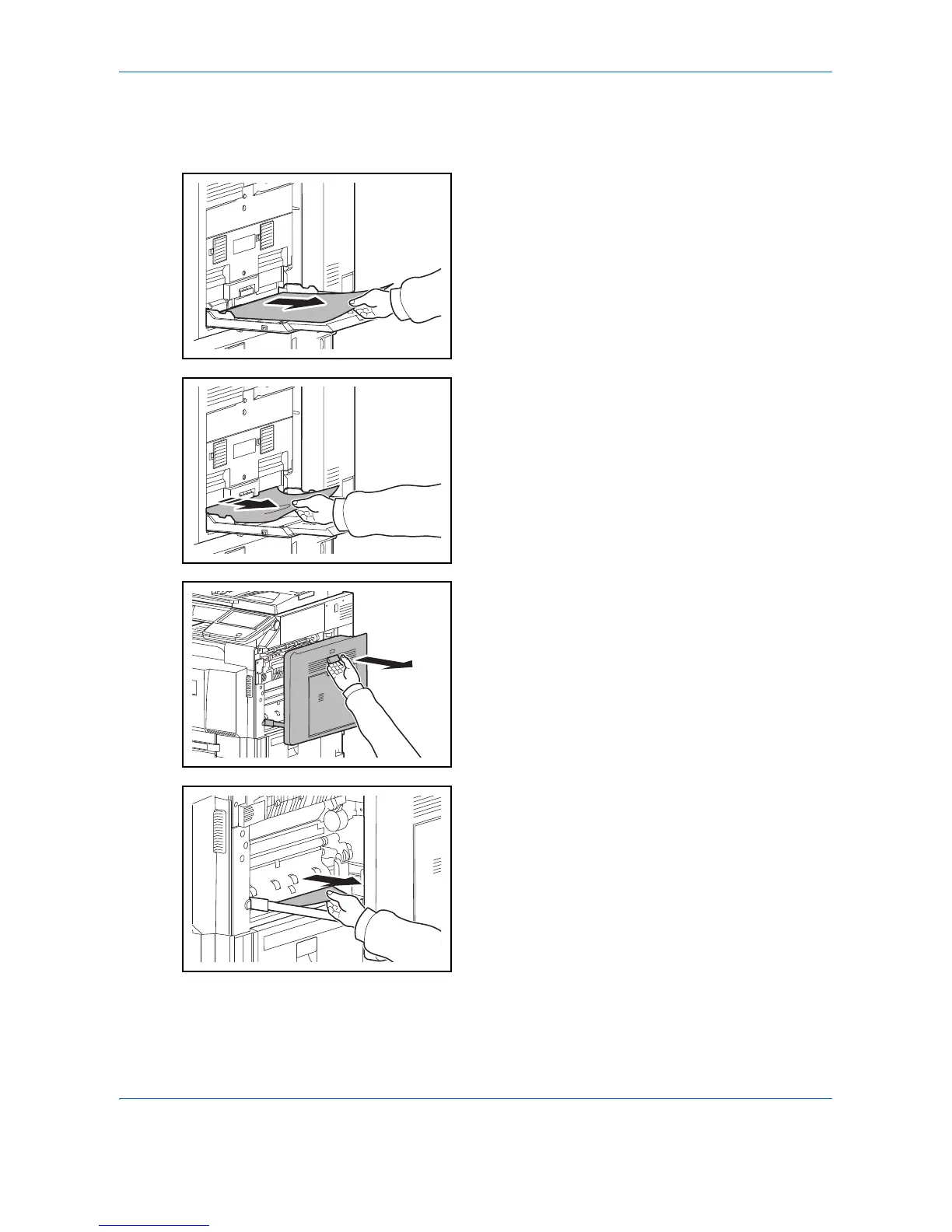
Follow the steps below to clear paper jams in the multi purpose tray.
1 Remove all sheets of paper from the multi purpose
tray.
2 If paper is jammed inside, pull the paper toward you
to remove.
3
Pull up right cover 1 lever and open the right cover 1.
4 Remove the jammed paper.
If the paper tears, remove every loose scrap from
inside the machine.











 To Next Page