BIOS Utilities
5 - 8 Advanced Menu
5
Advanced Menu
Legacy USB Support (Advanced Menu)
Use this menu item to enable/disable the support for Legacy Universal Serial Bus
in non-USB aware operating systems.
Boot-time Diagnostic Screen (Advanced Menu)
Use this menu item to enable/disable the Boot-time Diagnostic Screen or POST
screen (see “The Power-On Self Test (POST)” on page 5 - 2).
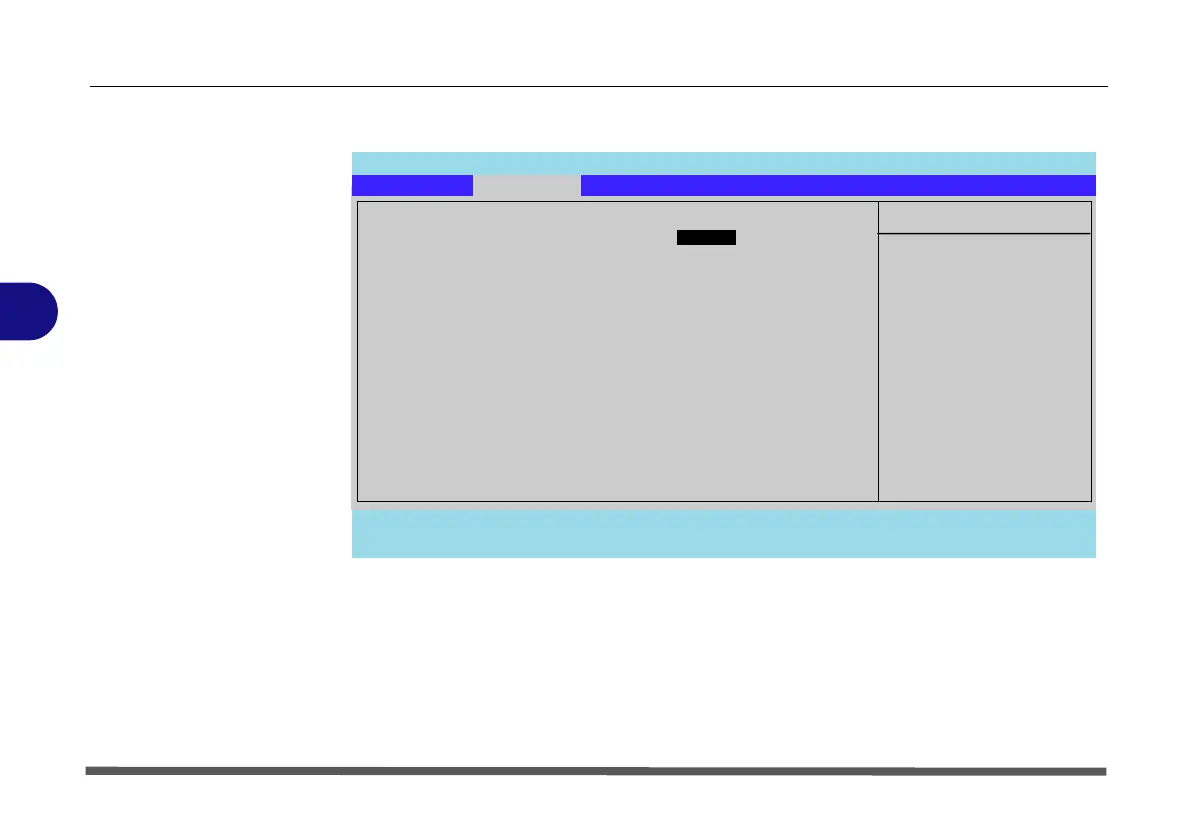
Figure 5 - 3
Advanced Menu
Main A
dvanced Security Boot Exit
F1 Help Select Item -/+ Change Values F9 Setup Defaults
Esc Exit Select Menu Enter Select Sub-Menu F10 Save and Exit
Item Specific Help
Advanced
Enable support for
Legacy Universal Serial
Bus.
Phoenix TrustedCore(tm) Setup Utility
Legacy USB Support: [Enabled]
Boot-time Diagnostic Screen: [Disabled]
Reset Configuration Data: [No]
Power On Boot Beep [Disabled]
Battery Low Alarm Beep [Enabled]
Detect External CRT [Enabled]
Enhance USB ODD detection [Disabled]


 To Next Page