Operation Panel
4-42
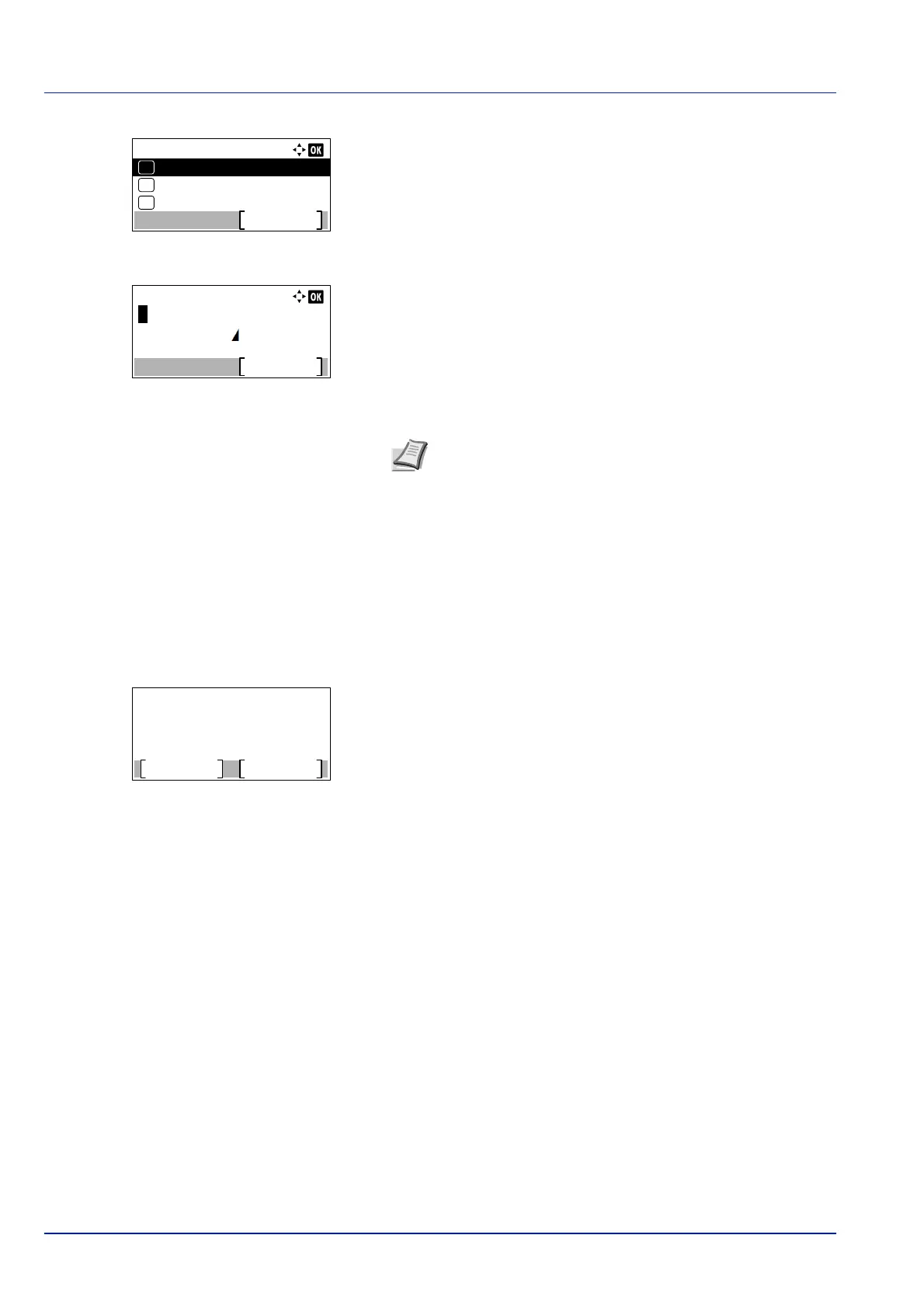
4 Press [OK]. A menu for the selected media is displayed.
5 Press or to select Name Entry.
6 Press [OK]. The Name Entry screen appears.
7 Use the numeric keys to enter the name to display for the custom
p
aper.
8 Press [OK]. Register the name to display and the renamed custom
p
aper screen reappears.
Reset Type Adj. (Resets customized settings)
This resets all the settings specified in Media Type Set. (Paper type settings) on page 4-39.
1 In the Paper Settings menu, press or to select Reset Type
Ad
j..
2 Press [OK]. A confirmation screen appears.
3 Press [Yes] ([Left Select]). The message Completed. appears
and
the Paper Settings menu reappears.
Pressing [No] ([Right Select]) returns to the Paper Settings
menu without resetting the customized settings.
CUSTOM 1:
Name Entry
Exit
03
Duplex
02
01
Paper Weight
Note Up to 16 characters can be entered. For details on
entering characters, refer to Character Entry Method on page
A-2.
Reset Type Adjust.
Are you sure?
Yes
No













 To Next Page