Preparation before Use
2-20
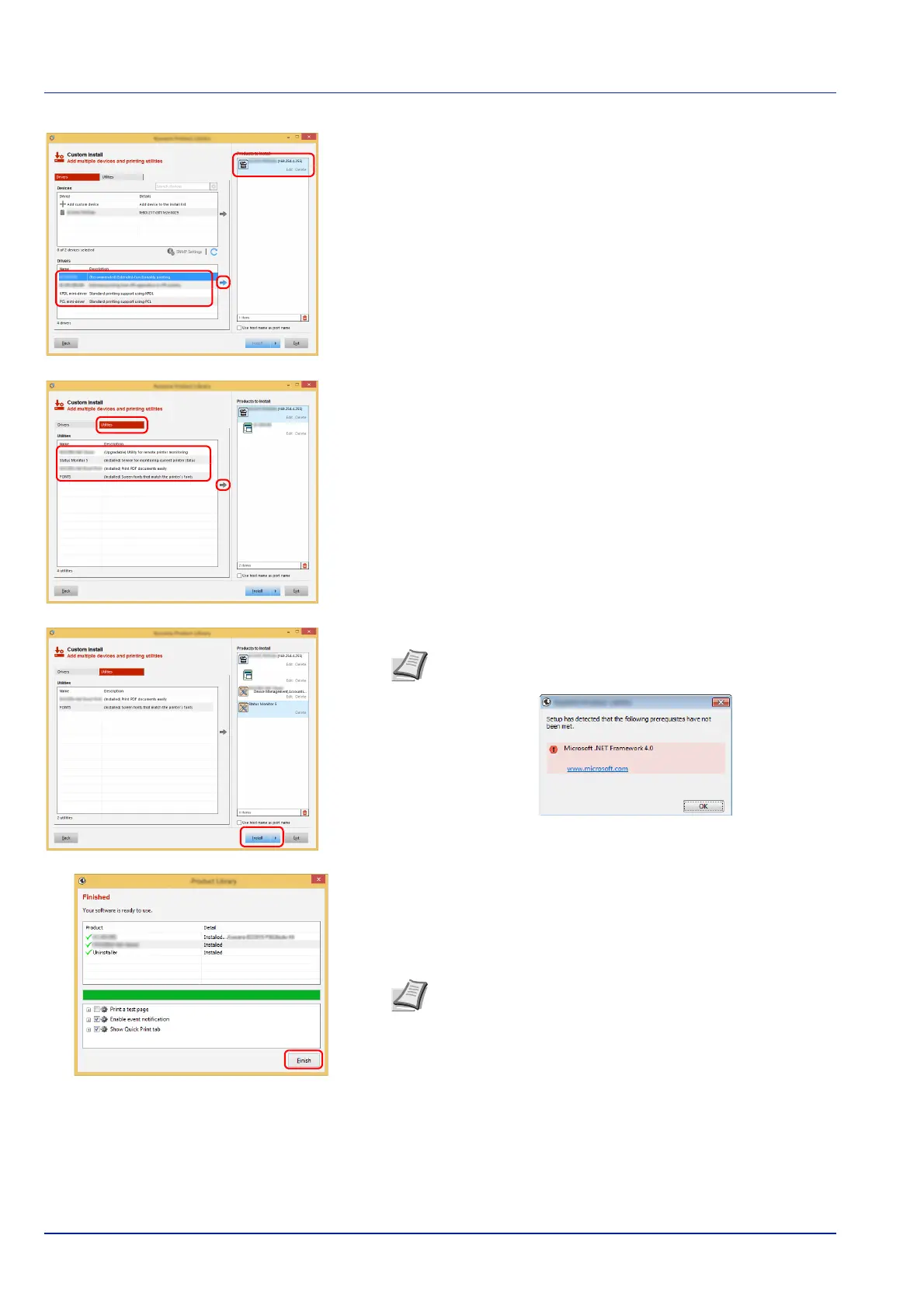
5 Select the driver to be installed, and then click the arrow button to
move it to the Products to Install list.
6 Click Utility tab and select the utility to be installed.
7 Click Install.
8 Finish the installation.
When Your software is ready to use appears, you can use the
software. To print a test page, click the Print a test page checkbox
and select the machine.
Click Finish to exit the wizard.
If a system restart message appears, restart the computer by
following the screen prompts. This completes the
Printing System
Driver
installation procedure.
Note To install Status Monitor, it is necessary to install
Microsoft .NET Framework 4.0 beforehand.
Note When you have selected Device settings in Windows XP,
the dialog box for device setting will appear after Finish is clicked.
Configure the settings for options installed on the machine. Device
settings can be configured after the installation is completed.
For more information, refer to the Printing System Driver User
Guide.













 To Next Page