IMPORTANT NOTES AND SAFETY INSTRUCTIONS FEATURES
When using your telephone equipment, basic safety precautions should always be followed
to reduce the risk offire, electric shock and injury to persons, including the following:
• Do not
use
this product near water, for example, near a bath tub, wash bowl,
kitchen sink, or laundry
tub,
in
wet
basement, or near
a
swimming pool.
• Avoid using
a
telephone other than
a
cordless
type)
during an electrical storm.
There may be a remote risk of electric shock from lightning.
• Do not use the telephone to report a gas leak in the vicinity of the leak.
• Use only the power cord and batteries indicated in this manual. Do not dispose
of batteries in a fire. They may explode. Check with local
codes
for possible
special disposal instructions.
SAVE THESE INSTRUCTIONS
• To prevent personal injury, damage to the unit, or other harm, read this manual
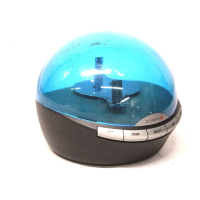
in its entirety before operating the Info Globe.
• Do not open the transparent cover and
do
not
use
it to lift or handle the message
box.
• This product is not
a toy.
Please keep it
out
of the reach of children.
• Operation of this product in
a
manner inconsistent with the instructions given in
this manual may result in personal injury and/or damage to the product and will
void the warranty.
• There are no user serviceable parts inside. Trying to open and/or alter the
product will void the warranty and may result in the equipment being illegal to
operate according to FCC regulations.
• During normal operation the Info Globe produces slight vibrations, some of
which are transmitted
to
the resting surface. This may
cause
other
objects to
creep/walk, fall, and/or break. Certain objects, such as compact disc players,
may malfunction due to the vibrations.
• For those who may experience headaches, dizziness, and/or other medical
problems when viewing flickering lights such as television screens and
moving message display systems precaution should
be
taken while viewing the
Info Globe display.
•
The rotating rod can take up to 30 seconds to begin steady rotations.
• Some people get charged with static electricity when walking on carpeted
floors, rub against certain fabrics, etc. Do not touch the Info Globe when
electrically charged.
• When the battery becomes weak the device shows BATTERY LOW. The user
then needs
to
insert
3
new 'AAA' batteries inside the battery compartment.
• The battery provides back
up
for time,
date
and message waiting settings during
power outage.
CID name and number display
Caller ID records
-
up
to 54 records
Real-time Clock
Floating Messages
(up to 30
characters)
Built-in Year-round Greetings
6 User Programmable Alert Messages
Automatic Daylight Savings Time Adjustment
Demonstration Mode
Battery backup (keeps clock running for one week during power outage)
Captivating animation
Programmable Timer on/off
3
4


 To Next Page