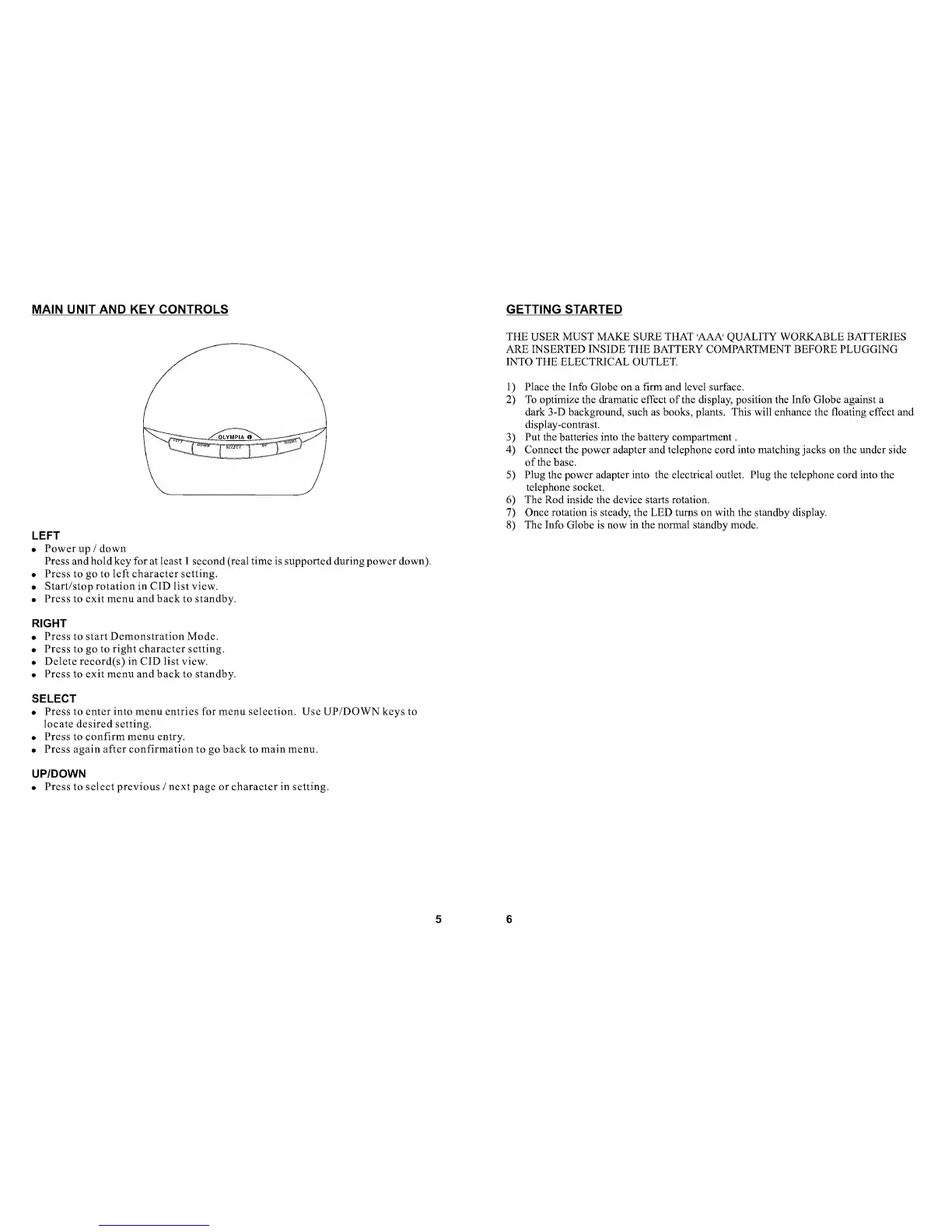
MAIN UNIT AND KEY CONTROLS
LEFT
• Power
up /
down
Press and hold key for at least 1 seeond (real time is supported during power down).
• Press
to go to
left charaeter setting.
• Start/stop rotation in CID list view.
• Press to exit menu and back to standby.
RIGHT
• Press to start Demonstration Mode.
• Press to
go
to right character setting.
• Delete record(s) in CID list view.
• Press
to
exit
menu
and
back to
standby.
SELECT
•
Press to enter into menu entries for menu selection. Use UP/DOWN keys to
locate desired setting.
• Press to confirm menu entry.
• Press again after confirmation to
go
back to main menu.
UP/DOWN
• Press
to
select previous
/
next
page
or character in setting.
5
GETTING STARTED
THE USER MUST MAKE SURE THAT AAA' QUALITY WORKABLE BATTERIES
ARE INSERTED INSIDE THE BATTERY COMPARTMENT BEFORE PLUGGING
INTO THE ELECTRICAL OUTLET.
1)
Place the Info
Globe on a
firm
and
level surface.
2)
To optimize the dramatic effect of
the
display, position the Info
Globe against a
dark 3-D background, such as books, plants. This will enhance the floating effect and
display-contrast.
3)
Put the batteries into the battery compartment
.
4)
Connect the power adapter and telephone cord into matching jacks on the under side
of the
base.
5)
Plug the power adapter into the electrical outlet. Plug the telephone cord into the
telephone socket.
6)
The Rod inside the device starts rotation.
7)
Once rotation is steady, the LED turns on with the standby display.
8)
The Info Globe is now in the normal standby mode.
6


 To Next Page