PERSONAL MESSAGES
Programming Personal Messages
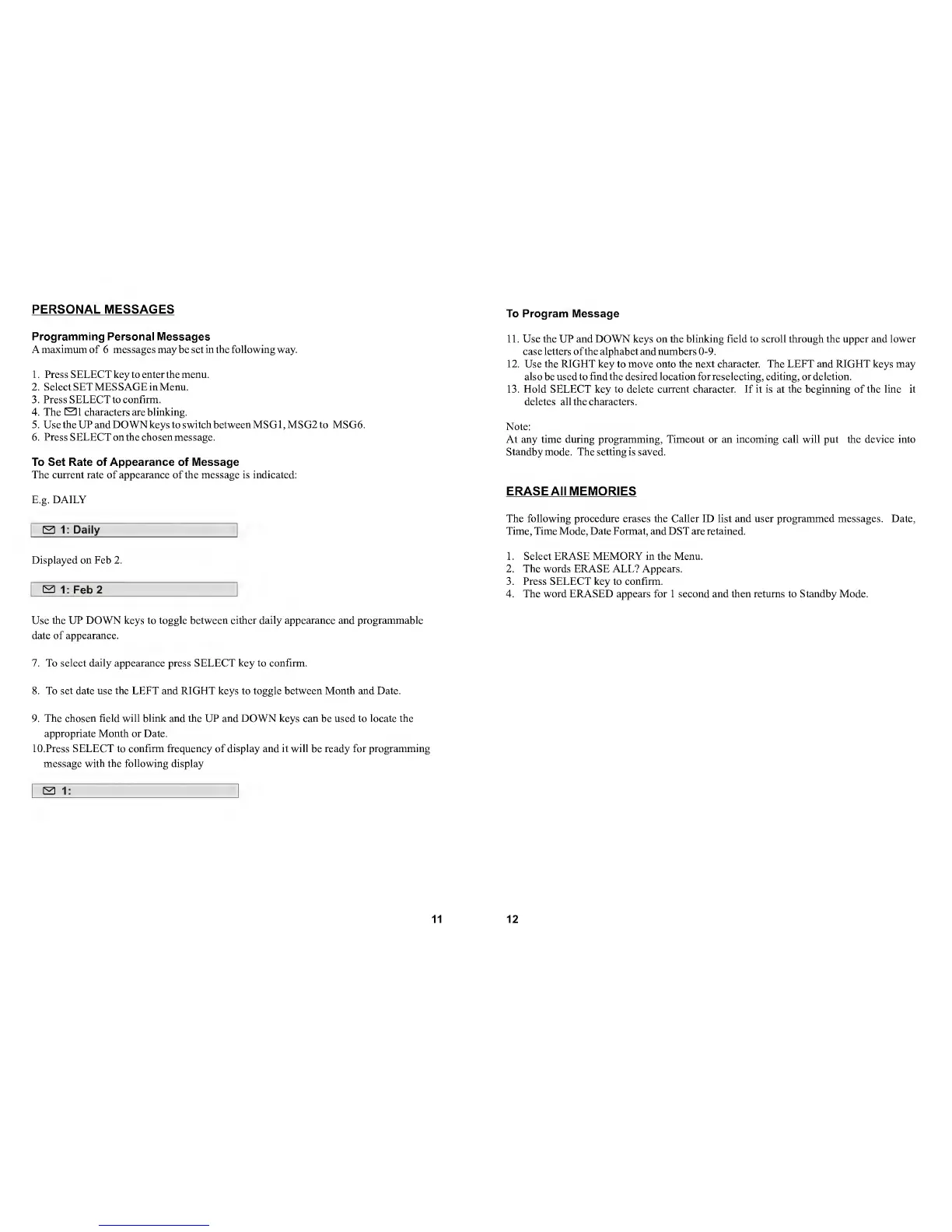
Amaximum of
6
messages
may be
set in the following
way.
1. Press SELECT key to enter the menu.
2. Select SET MESSAGE in Menu.
3. Press SELECT to confirm.
4. The
SI
characters are blinking.
5.
UsetheUPandDOWNkeystoswitchbetweenMSGl,MSG2to MSG6.
6.
Press SELECT on the chosen message.
To Set Rate of Appearance of Message
The current rate of appearance of the message is indicated:
E.g. DAILY
S 1: Daily
Displayed on Feb 2.
S
1 : Feb 2
Use
the UP DOWN keys to toggle between either daily appearance and programmable
date
of
appearance.
7.
To select daily appearance press SELECT key to confirm.
8. To
set
date use
the LEFT
and
RIGHT keys to
toggle
between Month and Date.
9.
The chosen field will blink and the UP and DOWN keys can
be used
to locate the
appropriate Month or Date.
10.
Press SELECT to confirm frequency of display and it will be ready for programming
message with the following display
El
1:
11
To Program Message
11. Use the UP and DOWN keys on the blinking field to scroll through the upper and lower
case letters ofthe alphabet and numbers
0-9.
12.
Use
the RIGHT key to move onto the next character. The LEFT and RIGHT keys may
also
be used
to find the desired location for reselecting, editing, or deletion.
13. Hold SELECT key to
delete
current character.
If
it is
at
the beginning of the line it
deletes
all
the
characters.
Note:
At any time during programming. Timeout or an incoming call will put the device into
Standby mode. The setting is saved.
ERASE All MEMORIES
The following procedure erases the Caller ID list and user programmed messages. Date,
Time, Time Mode, Date Format, and DST are retained.
1
.
Select ERASE MEMORY in the Menu.
2. The words ERASE ALL? Appears.
3. Press SELECT key to confirm.
4. The word ERASED appears for 1 second and then returns to Standby Mode.
12


 To Next Page