PUTTING THE MOBILE PHONE INTO OPERATION
INSERTING A MICROSD MEMORY CARD
SD
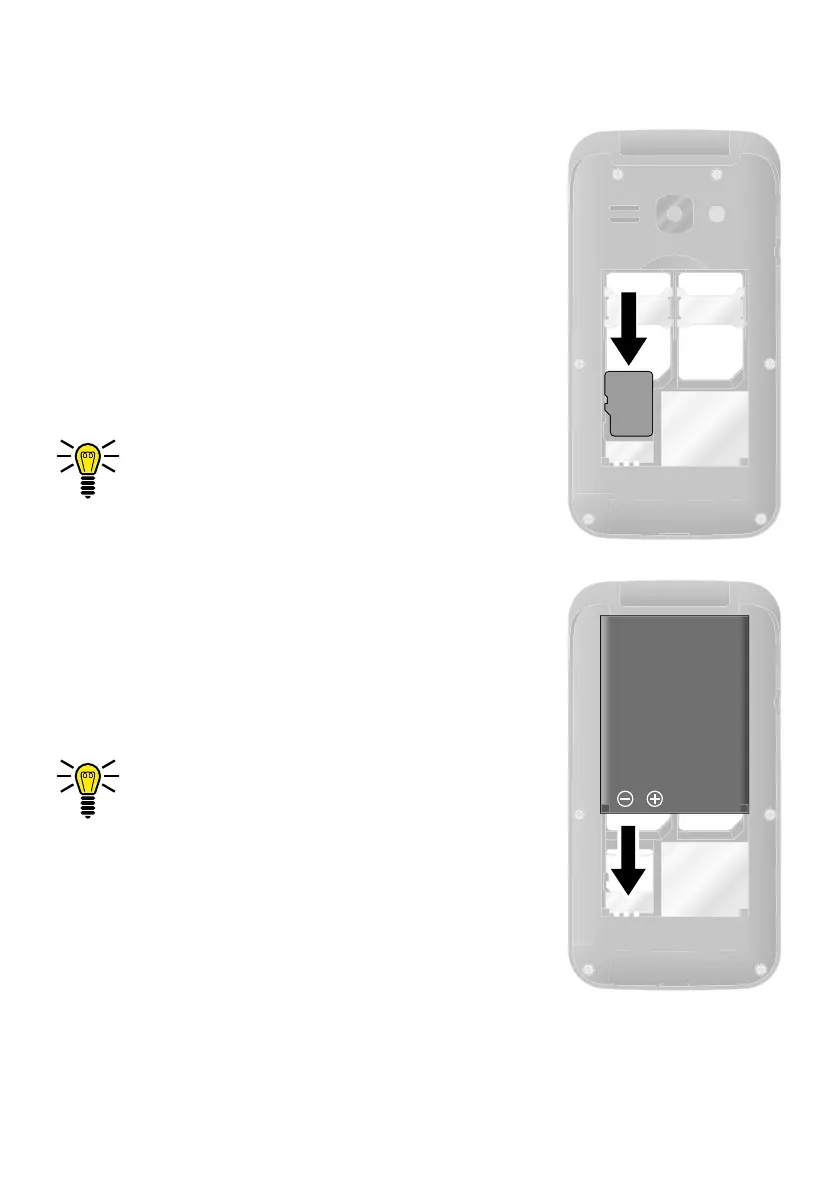
Inserting a microSD Memory Card
You have the option of inserting a microSD
memory card (not included in the equipment
supplied) in your mobile phone. This increases
the data volume (e.g. for photos) which you
can store on your phone.
1 Insert the microSD memory card into the
open compartment as shown.
The compartment shape makes it
impossible to insert the card incorrectly.
Inserting the Battery
Before you can use your mobile phone, you
must insert the battery.
1 Insert the battery as shown.
The compartment shape makes it
impossible to insert the battery incor-
rectly.
2 Replace the battery compartment cover.
The battery compartment cover latches
audibly into place.


 To Next Page