Putting the Mobile Phone into Operation
Switching the Mobile Phone On and Off NOVA Plus
26
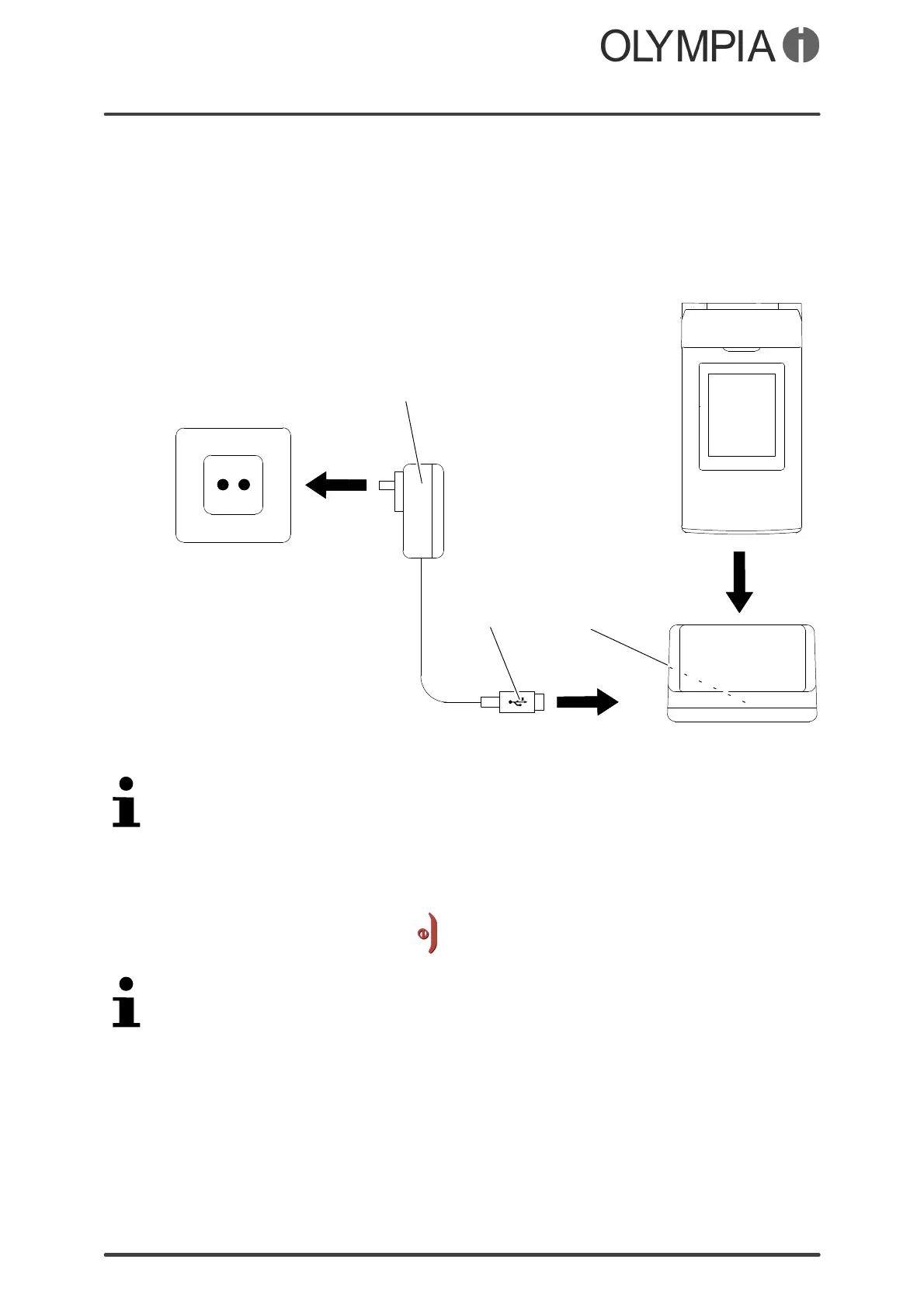
Charging the battery with the charging cradle
1. Connect the power plug (1) to a properly installed power socket.
2. Connect the microUSB plug (2) to the USB connection port (3) on the
rear side of the charging cradle.
3. Place the mobile phone in the charging cradle as illustrated.
1
2
3
The charging process is indicated in the display by means of a charging
battery icon.
Switching the Mobile Phone On and Off
1. Press the On-hook key for 3 seconds.
Some SIM cards will require you to enter a PIN. Follow the instructions on the
screen.



 To Next Page