40
Inserting the SIM Card
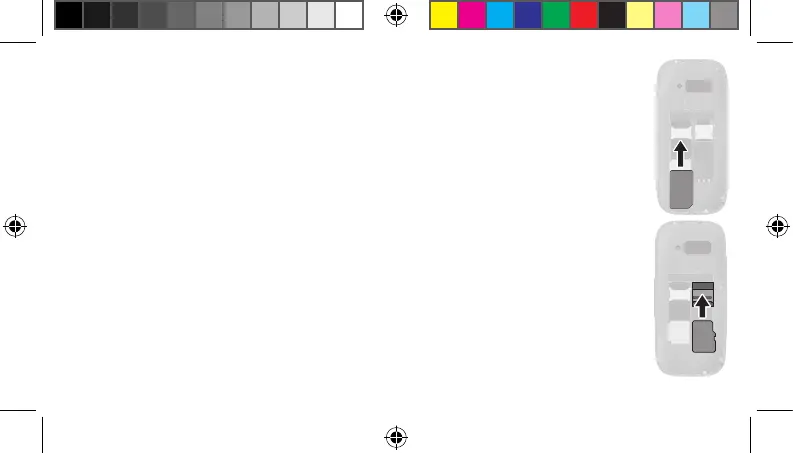
Before you can start to use the mobile phone, you must insert your SIM card (not
included in the equipment supplied) in the phone. Only use SIM cards of the size
illustrated (standard SIM card).
1 Remove the battery compartment cover. Use the recess at the bottom of the
battery compartment cover.
2 Insert the SIM card in the SIM 1 slot by sliding the SIM card under the metal
bar. Ensure the SIM card is aligned correctly.
Inserting the MicroSD Memory Card
If you want to increase the memory capacity of the mobile phone, you can insert a
microSD memory card (not included in the equipment supplied) with a memory of
up to 16 GB in the mobile phone.
1 Open the microSD compartment by pivoting up the metal plate.
SIM 1
SD
20230907_uni_sun_D130_Plus_print.indd 4020230907_uni_sun_D130_Plus_print.indd 40 18.09.2023 11:33:1818.09.2023 11:33:18



 To Next Page