41
2 Place the microSD memory card with the contacts facing down in the compartment, as
illustrated. Ensure the microSD memory card is aligned correctly.
3 Close the microSD compartment by pivoting down the metal plate.
Inserting the Battery
Before you can use the mobile phone, you must insert the battery supplied in
the mobile phone.
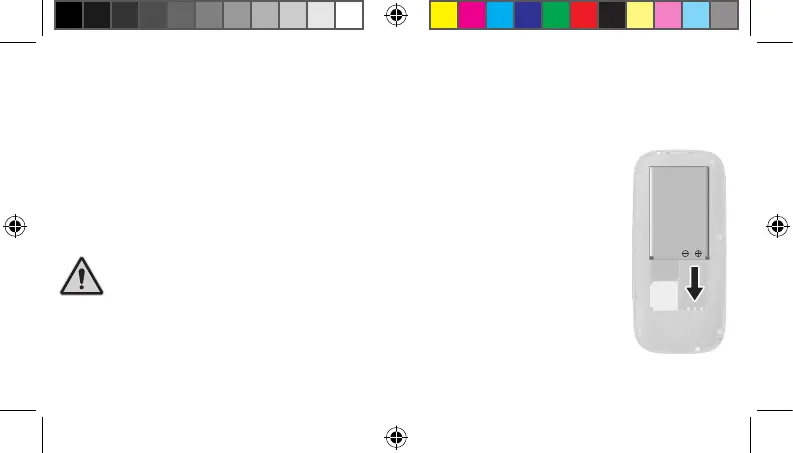
1 Insert the battery as illustrated. Ensure the battery is aligned correctly.
2 Replace the battery compartment cover. The battery compartment cover
latches audibly into place.
! Do not remove the battery while the mobile phone is
being charged. Disconnect the charging cable from the mobile phone
before changing or removing the battery.
20230907_uni_sun_D130_Plus_print.indd 4120230907_uni_sun_D130_Plus_print.indd 41 18.09.2023 11:33:1818.09.2023 11:33:18



 To Next Page